mini-a
Your goals. Your LLM. One command.
A minimalist autonomous agent framework built on OpenAF. Connect any LLM, use 25+ built-in MCP servers, and orchestrate delegated multi-agent workflows with proxy-backed tools, streaming, validation-model overrides, and worker registration from the terminal, a web UI, or your own code.
Track recent releases, new capabilities, and migration notes in What's New.
See It in Action
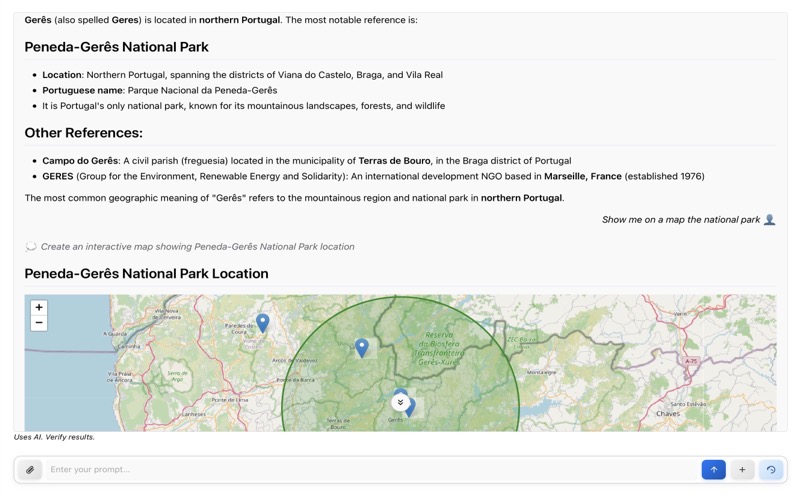
Web interface with real-time streaming
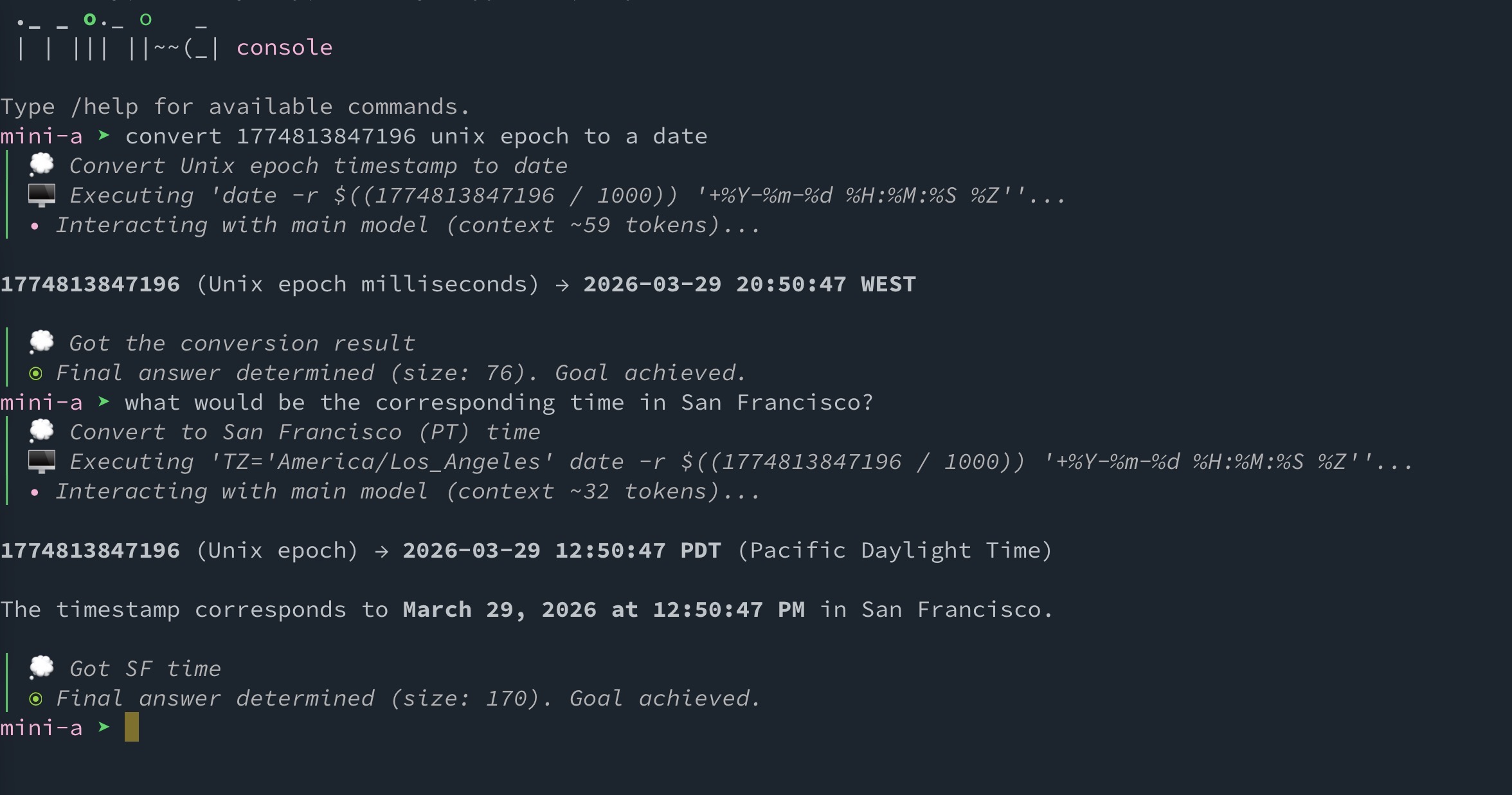
Interactive console mode
Features
Any LLM, Your Choice
OpenAI, Google, Anthropic, Ollama, AWS Bedrock, GitHub Models — switch providers with one config line.
Cut Costs by 70%
Dual-model architecture routes simple tasks to cheaper models automatically. Pay less, get the same results.
Separate Execution from Validation
Use a dedicated validation model in deep-research flows, globally with OAF_VAL_MODEL or per run with modelval=....
25+ MCP Servers, Ready to Run
Time, finance, databases, web, email, Kubernetes, office docs, OpenAF helpers, and more ship as built-in MCP servers.
Multi-Agent Orchestration
Enable delegation to split goals into subtasks and run them across local child agents, remote workers, or self-registering worker pools.
Knowledge That Scales
Share a Markdown wiki across agents, retrieve bounded cited evidence, and search huge skill libraries without loading them into context.
Built for Unattended Runs
Durable resumable runs, centralized policies, agent-to-agent coordination, and native evaluation suites with baselines.
40-60% Fewer Tokens
Automatic context optimization, conversation compaction, and smart summarization keep costs low.
Proxy and Script-Friendly Tools
Aggregate tools behind one `proxy-dispatch` interface or expose them through a localhost bridge for programmatic MCP calls from generated scripts.
Console. Web. Library. Docker.
Use it as a CLI tool, web app, JavaScript library, or Docker container — whatever fits your workflow.
Inspectable Reasoning Output
Use showthinking=true to surface XML-tagged thinking blocks as thought logs when your provider returns them.
Secure by Default
Shell access off by default, prompt normalization, untrusted-input labeling, prompt-size limits, read-only mode, and encrypted key storage.
Quick Example
export OAF_MODEL="(type: openai, model: gpt-5.2, key: '...')"
mini-a useshell=true
> list all JavaScript files in this project and count the lines of code in each
How It Works
mini-a follows a simple loop: understand the goal → plan steps → execute tools → validate results → report back.
┌─────────┐     ┌─────────┐     ┌──────────┐     ┌──────────┐
│  Your   │────▶│  LLM    │────▶│  Tools   │────▶│  Result  │
│  Goal   │     │  Engine │     │  (MCP)   │     │  Output  │
└─────────┘     └─────────┘     └──────────┘     └──────────┘
                     │                │
                     ▼                ▼
                ┌──────────┐     ┌──────────┐
                │ Planning │     │  Shell   │
                │ & Memory │     │ Commands │
                └──────────┘     └──────────┘
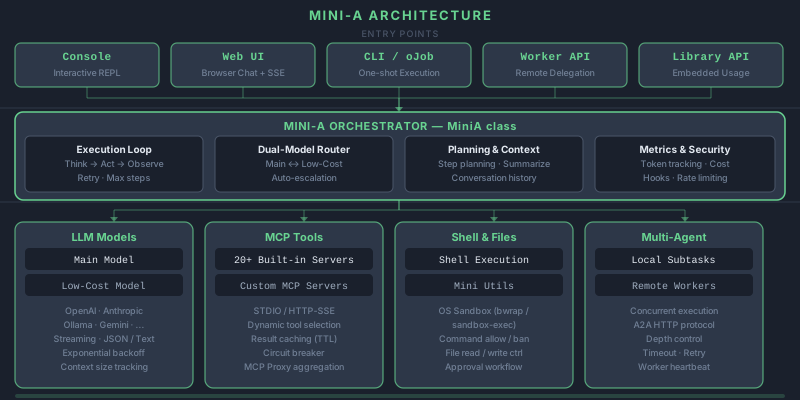
Ready to Get Started?
Install mini-a in under a minute and run your first autonomous task.