Features
mini-a packs a comprehensive set of features into a minimalist framework. This page covers current capabilities across models, tool orchestration, delegation, security, and output/runtime options.
Multi-Model Support
mini-a works with any LLM provider out of the box. Switch between providers by changing a single environment variable — no code changes required, and model names are used as-is, with no provider prefix.
OAF_MODEL (and OAF_LC_MODEL/OAF_VAL_MODEL) is a map with a type field that selects the provider implementation:
type |
Covers | Example |
|---|---|---|
openai |
OpenAI, plus any OpenAI-compatible API — Cerebras, Groq, Mistral, Grok (x.ai), GitHub Models, Scaleway, OpenRouter, Azure OpenAI, etc. (set url to the provider’s endpoint) |
(type: openai, model: gpt-5.2, key: '...') |
gemini |
Google Gemini | (type: gemini, model: gemini-3-pro-preview, key: '...') |
anthropic |
Anthropic Claude | (type: anthropic, model: claude-sonnet-4-5-20250929, key: '...') |
ollama |
Ollama (local or cloud models) | (type: ollama, model: 'llama3', url: 'http://localhost:11434') |
bedrock |
AWS Bedrock | (type: bedrock, options: (region: eu-west-1, model: '...')) |
For OpenAI-compatible providers, just point url at the provider’s endpoint and model at its model id:
export OAF_MODEL="(type: openai, model: gpt-5.2, key: '...')"                                                      # OpenAI
export OAF_MODEL="(type: openai, url: 'https://api.groq.com/openai', model: 'openai/gpt-oss-120b', key: '...')"    # Groq
export OAF_MODEL="(type: gemini, model: gemini-3-pro-preview, key: '...')"                                         # Google
export OAF_MODEL="(type: ollama, model: 'llama3', url: 'http://localhost:11434')"                                  # Local
Set credentials directly in OAF_MODEL/OAF_LC_MODEL using key: '...' so configuration stays in one place. Ollama runs locally and requires no key.
Dual-Model Cost Optimization
Alongside default, advisor and delegate, modelstrategy=auto selects a strategy per goal. Supervised execution uses main-model preparation and LC execution of a concrete contract, completing only after current evidence passes mandatory checks/review. Both roles are required. Saving accepted contracts and discovering them for reuse are independent opt-ins; defaults remain unchanged.
One of mini-a’s most powerful features is its dual-model architecture. You can assign a cheaper, faster model to handle simple tasks (routing, summarization, classification) while reserving a more capable model for complex reasoning.
export OAF_MODEL="(type: openai, model: gpt-5.2, key: '...')"            # Main model — complex reasoning
export OAF_LC_MODEL="(type: openai, model: gpt-5-mini, key: '...')"      # Light model — simple tasks
The framework automatically decides which model to use for each subtask, optimizing cost without sacrificing quality where it matters.
You can also add a dedicated validation model for deep-research scoring when you want execution and validation separated:
export OAF_VAL_MODEL="(type: openai, model: gpt-5-mini, key: '...')"

# Or override only this run
mini-a deepresearch=true modelval="(type: openai, model: gpt-5-mini, key: '...')" \
  goal='Research the latest release notes and summarize breaking changes'
Recent updates added dynamic escalation controls and per-run cost tracking so you can tune and measure this behavior:
lccontextlimitescalates to the main model when low-cost context gets too large.deescalatecontrols how many successful steps are needed before returning to the low-cost model.getCostStats()returns a per-session usage breakdown for low-cost and main model tiers.OAF_MINI_A_NOJSONPROMPT/OAF_MINI_A_LCNOJSONPROMPTlet you force text-prompt mode per model tier (Gemini main models auto-enable when unset).
Estimated Savings
| Task Type | Model Used | Estimated Savings |
|---|---|---|
| Simple routing & classification | Light model (OAF_LC_MODEL) |
~70% cheaper |
| Summarization | Light model (OAF_LC_MODEL) |
~60% cheaper |
| Planning & step decomposition | Light model (OAF_LC_MODEL) |
~50% cheaper |
| Complex reasoning & analysis | Main model (OAF_MODEL) |
0% (full model needed) |
When both models are configured, mini-a can report separate token usage and cost estimates for each tier, so you can track exactly how much you are saving.
Automatic Performance Optimizations
mini-a includes several built-in optimizations that reduce token consumption and keep conversations within context limits without manual intervention.
- Conversation compaction — When the conversation grows too long, mini-a automatically compresses earlier turns while preserving essential context. Trigger manually with
/compact. - Context summarization — Long tool outputs and intermediate results are summarized to save tokens. Trigger manually with
/summarize. - Token usage optimization — The framework tracks token counts and adjusts behavior to stay within budget.
- Smart prompt caching — Repeated prompt patterns are cached where the provider supports it, reducing redundant API calls.
Key Parameters
| Parameter | Description | Default |
|---|---|---|
maxcontext |
Approximate context budget (tokens). Deduplicates at 60% and summarizes at 80% of the budget; 0 leaves proactive compaction off (provider overflow recovery still applies) |
0 |
contextguard |
Guardrails for large tool output when maxcontext is unset |
false |
maxtokens |
Maximum tokens per response | Model default |
# Example: constrain context and response size
mini-a maxcontext=32000 maxtokens=4096
For tool-heavy conversations where older output must stay exactly recoverable, History VM (historyvm=true) keeps the full history on disk and sends the model only a bounded working set, with history_search, history_get, and history_expand to page exact text back in.
MCP Integration
MCP (Model Context Protocol) is an open standard that defines how LLMs discover and invoke external tools. Instead of hard-coding tool integrations, mini-a uses MCP servers that expose capabilities through a uniform interface.
mini-a ships with 29 built-in MCP servers covering common tasks such as file operations, web browsing, databases, Kubernetes, finance, office documents, full-text search, A2A agent bridging, OpenAF helpers, and more. Any of them can also be deployed as a standalone containerized HTTP service — see Deploying MCP Servers in Docker & Kubernetes.
STDIO vs HTTP Mode
| Mode | How It Works | Best For |
|---|---|---|
| STDIO | Launches the MCP server as a local child process, communicating over stdin/stdout | Local tools, development, single-user setups |
| HTTP | Connects to a remote MCP server over HTTP/SSE | Shared servers, cloud deployments, team setups |
# STDIO mode (default for built-in servers)
mini-a usetools=true

# HTTP mode (connect to a remote MCP server)
mini-a usetools=true mcpserver="http://mcp.example.com:8080"
For a complete list of available MCP servers and their capabilities, see the MCP Catalog.
MCP Proxy and Programmatic Tool Calling
When many tools are active, mcpproxy=true can collapse them into a single proxy-dispatch tool to reduce prompt bloat.
mini-a goal="compare release dates across APIs" \
  usetools=true mcpproxy=true \
  mcp="[(cmd: 'ojob mcps/mcp-time.yaml'), (cmd: 'ojob mcps/mcp-fin.yaml')]" \
  useutils=true
Large proxy calls can spill arguments/results to files with argumentsFile and resultToFile=true, and mcpproxytoon=true can serialize spilled object payloads in TOON format for easier scanning.
mini-a can optionally start a localhost bridge that lets generated scripts list/search/call MCP tools in loops and batches.
mini-a useshell=true usetools=true mcpprogcall=true \
  mcp="[(cmd: 'ojob mcps/mcp-time.yaml'), (cmd: 'ojob mcps/mcp-web.yaml')]"
Useful controls include mcpprogcallport, mcpprogcallmaxbytes, mcpprogcallresultttl, mcpprogcalltools, and mcpprogcallbatchmax.
To try an MCP server before wiring it into a goal, run the interactive tester with mini-a mcptest=true mcp="(cmd: 'ojob mcps/mcp-time.yaml')". It lists tools, calls them through guided prompts, and its Show mcp= parameter string option prints the active connection as a SLON string that you can paste straight into mini-a mcp="...".
Flexible Tool System
mini-a provides three categories of tools that the agent can use to accomplish goals:
1. Shell Commands
When enabled, the agent can execute shell commands directly on the host system. Disabled by default for security.
mini-a useshell=true
2. Built-in Utilities
File operations, text search, directory listing, and other common utilities that do not require spawning a shell.
When enabled, Mini Utils provides init, filesystemQuery, filesystemModify, and markdownFiles.
mini-a useutils=true
Use utilsallow and utilsdeny to control which utils are exposed to the agent:
# Expose only specific utils
mini-a useutils=true utilsallow="filesystemQuery,markdownFiles"

# Hide specific utils (applied after utilsallow)
mini-a useutils=true utilsdeny="filesystemModify"
When running in console mode, useutils=true also includes the userInput tool, which enables interactive console prompts (ask, choose, struct) for gathering structured input from the user.
For docs-aware workflows, enable:
mini-a useutils=true mini-a-docs=true
Reading documents and images
useutils=true exposes readDocument and inspectImage in both ordinary and standard utility catalogs. They honor utilsroot, utilsallow, and utilsdeny; shell or write access is not required.
mini-a useutils=true utilsroot=/path/to/files goal="Summarize report.docx and budget.xlsx"
mini-a useutils=true utilsroot=/path/to/files goal="Inspect diagram.png and explain its labels"
readDocument({path, maxChars?, maxBytes?}) extracts text and metadata using the Tika oPack, installed lazily unless preinstalled. Defaults are 30,000 extracted characters and 20 MiB input. Check truncated before treating the result as complete. OCR and embedded-attachment extraction are disabled; spreadsheet text does not promise formula evaluation or cell layout. These size limits do not bound parser memory or execution time.
inspectImage({path, prompt?, detail?, maxBytes?}) sends PNG/JPEG to the main model’s promptImage interface. The default input limit is 10 MiB with a fixed 25-megapixel ceiling; detail defaults to high. It requires a vision-capable model and adapter and does not switch models on failure. Only the textual result enters agent history.
3. MCP Tools
Extensible tools provided by MCP servers — both built-in and custom.
mini-a usetools=true
Tool Configuration Summary
| Parameter | What It Enables | Default |
|---|---|---|
useshell |
Shell command execution | false |
useutils |
Built-in file and search utilities | true |
mini-a-docs |
Auto-set docs root for Mini Utils markdownFiles when utilsroot is unset |
false |
usetools |
MCP tool servers | true |
shellmaxbytes |
Truncate oversized shell output to keep context stable | 8000 |
shellallowpipes |
Allow shell pipes/redirection/control operators | false |
All three can be combined. When the agent receives a goal, it selects the appropriate tool type based on the task.
Multiple Interfaces
mini-a can be used through four distinct interfaces, each suited to different workflows.
Console (Interactive REPL)
Quote paths with spaces in multi-operand commands: /wiki move "old path.md" "new path.md", /ingest "/path/My Docs" "Team Reference" dryrun, and /skills read "wiki:my skill.md" "Usage examples". Attachments also accept @"/path/My Document.md". Quote shell arguments at startup, but pass JSON/YAML tool paths as ordinary strings without extra literal quotes.
The default mode. An interactive terminal session with tab completion, command history, and real-time streaming.
mini-a
Web UI
Advanced now includes browser input dialogs, a five-editor Prompt workspace and a Current storage / Browser storage switch for presets and saved conversations. Applied prompt changes affect the next goal; reload reconnects pending dialogs but discards unsent drafts. See Advanced web guidance.
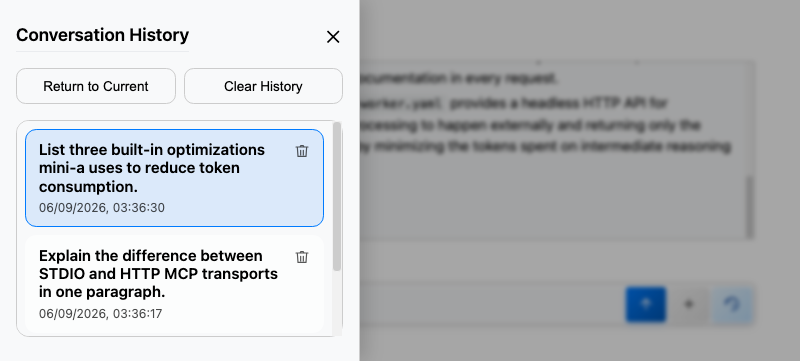
A browser-based interface with session management, conversation history, and streaming output. Each answer groups its thoughts, tool work, and status messages in a collapsible Activity section that stays open while the agent works and collapses when the answer completes. When planning runs, the UI shows Planning… as soon as the planner starts streaming. Mermaid diagrams open in a full-screen viewer with pinch-zoom and pan, and usemaps renders Leaflet maps with colored markers.
mini-a onport=8080
Advanced console and attachments
Add webadvanced=true for authenticated console commands, operation panels, settings/presets, structured JSON/SLON editing, statistics, debug traces and live subtasks. Without a fixed webtoken, startup generates a token, prints an access URL and tries to open the browser. Simple and Advanced share the conversation, with reload/reconnect preserving running work. Both provide a full-screen composer and text/image/Office/PDF attachments when useattach=true.
See Advanced web guide for trusted-token authority, local history/storage, cancellation and attachment limits.
Library (JavaScript API)
Use mini-a programmatically from your own OpenAF scripts.
loadLib("mini-a.js");

var agent = new MiniA({
  model: "(type: openai, model: gpt-5.2, key: '...')",
  usetools: true
});

var result = agent.ask("List all running Docker containers");
print(result);
Worker API
Run mini-a as a remote agent that accepts goals via an API endpoint.
Dynamic worker registration is also available. Parents can open a registration port with workerreg=<port>, and worker instances can self-register with workerregurl=<url> and heartbeat via workerreginterval=<ms>.
Streaming, Debugging, and Safety
Recent releases added several runtime improvements that are useful in production setups:
planner_streamSSE events distinguish planning tokens from normal answer tokens whenusestream=true.showthinking=truesurfaces XML-tagged<thinking>...</thinking>blocks as thought logs for providers that emit them.debugfile=<path>writes debug output as NDJSON instead of flooding the console with raw blocks.debugvalchroutes validation-model debugging to its own channel;debugdecchcaptures stateless decision-model traffic.maxpromptcharscaps inbound web prompt size before any model call is made.- Untrusted input blocks and prompt normalization reduce prompt-injection risk from goals, chat text, and attachments.
mini-a workermode=true onport=9090
Other agents or applications can then delegate tasks to this worker instance.
Planning & Multi-Agent Delegation
For complex goals, mini-a can plan a series of steps before executing them, and optionally delegate subtasks to child agents or remote workers.
Think of delegation as an orchestration layer: one parent agent manages task decomposition, parallel execution, and result aggregation across multiple workers.
Planning Styles
| Style | Description |
|---|---|
simple |
Flat sequential steps — generates and executes one step at a time (default) |
legacy |
Phase-based hierarchical planning — creates a structured multi-phase plan upfront |
# Enable planning (simple style, default)
mini-a useplanning=true

# Use legacy hierarchical planning
mini-a useplanning=true planstyle=legacy
Delegation
When delegation is enabled, the main agent can spawn child agents to handle independent subtasks in parallel.
# Enable delegation to child agents
mini-a usedelegation=true
Delegation also works with remote workers — the main agent can send subtasks to mini-a instances running in worker mode on other machines.
Worker registration is also supported: set workerreg to a port to have mini-a start a worker registration HTTP server, optionally protected by workerregtoken. Use workerevictionttl to evict stale worker entries, and delegationmaxdepth to cap recursive delegation chains.
Worker Skills (A2A)
Workers can advertise same-process submission recovery. If a submission response is lost, Mini-A looks up its retained receipt instead of replaying execution; expired receipts and worker restarts retain an explicit unknown outcome. See worker recovery.
Workers can advertise specific capabilities as A2A skills. The parent reads each worker’s /.well-known/agent.json AgentCard and uses declared skills to route subtasks intelligently.
# Start a shell-capable worker (auto-emits the "shell" A2A skill)
mini-a workermode=true onport=9091 shellworker=true

# Start a worker with custom skills
mini-a workermode=true onport=9092 \
  workerskills="shell,time" \
  workerspecialties="finance,data-analysis"
The delegate-subtask tool call can then request specific skills:
{ "goal": "run the test suite", "skills": ["shell"] }
When dynamic worker registration is active (workerreg=<port>), the parent rebuilds the delegate-subtask tool description every 30 seconds (or immediately on profile change) to list available workers and their skills — so the LLM always routes to the right worker without guessing.
Orchestration Pattern
Use this pattern when you want mini-a to coordinate multiple agents for larger workloads:
- Start one or more worker instances (
mini-a workermode=true onport=9090). - Run a parent agent with planning and delegation enabled.
- Set concurrency limits so execution stays predictable.
- Let the parent combine worker outputs into a single final result.
mini-a useplanning=true planstyle=legacy usedelegation=true \
  workers='http://worker1:9090,http://worker2:9090' maxconcurrent=4 \
  goal='Analyze this monorepo, group findings by domain, and produce one prioritized action plan'
Live Coordination Between Agents
Delegated agents are isolated by default: they exchange only a goal and a result. With agentcomms, agents in one delegation tree can also relay early findings to a parent, message peers, publish to topics, or claim work through version-checked shared state, all without a broker or an extra model. Each capability needs an explicit grant, grants are never inherited, and remote workers must opt in with apitoken and their own ceiling. See Advanced → Inter-agent communication.
Adaptive Orchestration
A configured modeldec/OAF_DECIDE_MODEL can refine ambiguous complexity and rank dynamic/capability selections. Explicit usedecide=true enables selected verdict gates and the conditional automatic-skill default; usedecide=false disables calls. Failures retain existing paths. See decision integration.
orchestration=auto lets Mini-A choose planning, advisor/model strategy, and evidence-gating controls from deterministic goal-complexity and risk signals, with no extra LLM call. manual stays the default, explicit flags always win, and every automatic decision is recorded in the trace. See Advanced → Adaptive orchestration.
Outer Loop Autonomous Coding
For tasks that require multiple revision cycles, mini-a supports an autonomous outer loop that runs the agent repeatedly until the goal is validated or safety limits are reached. Each cycle starts with fresh context while persisting state under ~/.openaf-mini-a/sessions/<session-id>/.
mini-a "Implement the feature described in ./TASKS.md" \
  outerloop=true \
  useplanning=true \
  outerloopinstructions=./TASKS.md \
  valgoal="All implementation tasks complete and tests pass" \
  outerloopmaxcycles=8
The loop stops automatically when:
- Completion and validation succeed
- The maximum cycle count (
outerloopmaxcycles, default 5) is reached - The runtime limit (
outerloopmaxtime) expires - The same validation failure repeats (
outerloopstoponrepeat=true) - No meaningful change occurs for N consecutive cycles (
outerloopmaxnochange, default 2)
Session Persistence
Each cycle saves artifacts to the session directory: instructions.md, state.json, plan.md, last-validation.txt, last-error.txt, cycle-000N-summary.md, and changed-files.json.
To resume an interrupted outer loop run, pass the session ID that was printed at startup:
mini-a "Refactor the parser and keep iterating until validation passes" \
  outerloop=true \
  outerloopsessionid=session-20240601-120000-abc123 \
  valgoal="Parser tests pass and no regression is introduced" \
  outerloopmaxcycles=6
See Configuration → Outer Loop for the full parameter reference.
Durable Runs, Policies, and Evaluation
Evaluation reports now expose skill lifecycle deltas and decision usage; unavailable skill measurements remain null. An explicit Decide outcome judge complements deterministic assertions and reports judge usage separately. Supervised evaluations compare independent artifact results, cold/warm contracts and actual per-role usage. See evaluation guidance.
Four opt-in controls for running Mini-A unattended, in restricted environments, or under test. Defaults leave existing behavior unchanged.
| Capability | Turn it on | What it gives you |
|---|---|---|
| Durable runs | durable=true |
Stable run ID, resumable state, safe checkpoints, and a redacted JSONL trace; resume with resumerun=<runid>, inspect with runstatus=<runid> |
| Capability selection | capabilityselection=true |
A normalized registry of MCP tools, skills, plugins, and workers, exposing only a deterministic, bounded relevant subset (capabilitylimit, default 8) |
| Central policy | policy= / policyfile= |
Traceable allow/deny rules for shell, MCP tools, delegation, wiki writes, filesystem writes, named tools, and allowed HTTP domains |
| Evaluation suites | eval=true evalfile=... |
YAML/JSON scenarios with assertions, cost/token/step/time limits, JSON reports, baselines, and regression detection; also usable as ordinary OpenAF tests |
mini-a goal="Inspect the repository" policy="(shell: deny, delegation: deny)" durable=true
mini-a eval=true evalfile=evals/core.yaml evalbaseline=evals/baseline.json
See Advanced for durable runs, capability selection and policies, and evaluation suites.
Working Memory
For long-running or multi-step goals, Mini-A can maintain a structured working memory that persists key findings, decisions, and evidence across tool calls and even across sessions. Working memory drastically increases reasoning coherence on long tasks while saving context window costs.
mini-a goal="Deep code analysis of auth module" usememory=true
Memory is organized into 8 typed sections:
| Section | What is stored |
|---|---|
facts |
Confirmed facts and verified findings discovered during the run |
evidence |
Direct observations, benchmarks, and tool outputs worth keeping |
decisions |
Design/workflow choices made and their underlying rationale |
risks |
Identified risks, sub-agent errors, or validation blockers |
openQuestions |
Unresolved questions to follow up on or clarify |
hypotheses |
Candidate approaches or theories under consideration |
artifacts |
Excerpts of generated files, configurations, or schemas |
summaries |
Condensed narrative summaries of completed milestones |
Core Mechanics: Compaction & Deduplication
- Fingerprint Deduplication (
memorydedup=true): Near-duplicate entries in the same section are automatically suppressed based on an 85% word-overlap similarity fingerprint, keeping the store clean. - Automatic Compaction (
memorycompactevery=8): Every 8 appends, Mini-A runs a compaction pass. It keeps section sizes undermemorymaxpersection(default:80) and the total store size undermemorymaxentries(default:500). - Priority Eviction: If compaction needs to prune entries to fit limits, it prioritizes keeping higher-value sections. The eviction order (least important to prune first) is:
decisions>evidence>risks>facts>summaries>hypotheses>openQuestions>artifacts.
Scope & Persistence
Working memory operates across two independent scopes:
- Session Scope: Scoped strictly to the current conversation ID or namespace.
- Global Scope: A shared store accessible by any agent session pointing at the same channel.
OpenAF Channel Definitions
By default, memory is held in-process (RAM-only). You can persist it across runs by passing standard OpenAF channel definitions to memorych (global store) and memorysessionch (session store):
# Persist global memory to a local JSON file channel
mini-a goal="Analyze AWS server configurations" \
  usememory=true \
  memorych="(name: my_mem, type: file, options: (file: '/tmp/mini-a-global.json'))"

# Persist global memory to a shared Redis channel
mini-a goal="Distil system requirements" \
  usememory=true \
  memorych="(name: redis_mem, type: redis, options: (host: 'redis.internal', port: 6379, key: 'mini-a-global-memory'))"
Scope Routing (memoryscope)
Use memoryscope to control how stores are accessed:
session: Current run/session only (reads and writes isolated).global: Shared store only.both(Default): Reads from both global and session memory. Writes default to session first, then auto-promote to global at session end.
Convenience Presets
To avoid manually writing channel definitions, Mini-A provides two local-development shortcuts:
1. Developer Workspace Preset (memoryuser=true)
Activates working memory, creates ~/.openaf-mini-a/ automatically, and sets up separate file-backed global and session channels. It also:
- Defaults
memorypromote="facts,decisions,summaries"to automatically carry facts, decisions, and summaries over to the global store at the end of the session. - Defaults
memorystaledays=30to run a staleness sweep, marking entries older than 30 days as stale (which are pruned first during compaction).
mini-a goal="audit code security" memoryuser=true
2. Isolated Local Preset (memoryusersession=true)
Activates working memory, creates ~/.openaf-mini-a/, registers a local file channel for the session store, but forces memoryscope=session. This lets you keep local history of your session without promoting any facts or decisions to your shared global store.
mini-a goal="sandbox testing" memoryusersession=true
Context Injection & Dynamic Search
How is memory presented to the LLM? Controlled by memoryinject:
Full Context Mode (memoryinject=full)
Embeds the entire, compact snapshot of all working memory entries directly in the system prompt on every step. While useful for short tasks, it can bloat context windows on long-running tasks.
Dynamic Search Mode (memoryinject=summary)
Only injects per-section entry counts into the prompt (e.g., workingMemory: { facts: 12, decisions: 3 }), saving ~95% of context token overhead.
The agent is equipped with a built-in memory_search action. When it needs to recall past facts or decisions, it calls memory_search programmatically:
{
  "thought": "I need to review our past database indexing decisions before refactoring",
  "action": "memory_search",
  "params": {
    "query": "indexing",
    "section": "decisions",
    "limit": 5
  }
}
query(string, required): Keyword string to match against entry content.section(string, optional): Filter results to a specific section (e.g.,facts,decisions).limit(number, optional, default:10): Maximum results to return.
Relevant Durable Memory (memoryinject=relevant - Default when enabled)
Starts from the same compact counts as summary, then injects up to memoryrelevantcap (default 8) non-stale durable entries that match the goal. This avoids repeatedly searching for established preferences and validated procedures without exposing transient tool observations on every run.
Deliberate durable memory
With usememorywrite=true (the default), the model can use memory_write to save typed knowledge deliberately. It accepts a required kind (preference, environment, procedure, pitfall, or reference) and value, plus optional stable key, tags, and ttlDays.
Writes remain session-scoped at first. A model-authored record only becomes global after the same keyed record is confirmed in two separate runs, protecting the durable store from one-off or untrusted content. Set memorywritemax (default 20) to bound writes per run, or disable the action with usememorywrite=false.
For a human-readable, versionable global store, set memorymd=true on memorych:
mini-a goal="capture repository conventions" usememory=true \
  memorymd=true \
  memorych="(name: mini_a_global, type: file, options: (file: './agent-memory.json'))" \
  memorysessionch="(name: mini_a_session, type: file, options: (file: '/tmp/mini-a-session.json'))"
The channel contains a generated MEMORY.md index and one Markdown record per memory entry, including YAML front matter for metadata. Memory compaction removes evicted records too, so tune the normal memory limits for long-lived stores.
Interactive Memory Manager TUI (memoryman=true)
Mini-A includes an interactive Terminal User Interface (TUI) to inspect, manage, search, and prune memory stores manually.
# Open the memory manager using the default user-local channels
mini-a memoryman=true usememory=true memoryuser=true

# Open the memory manager targeting custom channels and a session namespace
mini-a memoryman=true usememory=true \
  memorych="(name: g, type: file, options: (file: '/tmp/global.json'))" \
  memorysessionch="(name: s, type: file, options: (file: '/tmp/session.json'))" \
  memorysessionid="demo-session"
TUI Features:
- 📊 Summary: Displays per-section entry counts, unresolved open questions, and stale counters.
- 📃 List entries: Browses all entries in a specific section, with options to filter by stale or unresolved status.
- 🔎 Inspect entry: Displays full payload details, including creation timestamps, confirmation counts, and tags.
- 🧽 Delete by ID: Manually deletes a single memory entry.
- ⏳ Delete older than: Batch prunes memory by relative age (e.g.,
30d,12h,90m) or specific dates. - 🔍 Search entries: Keyword searches across entry values, IDs, and tags.
- 🧰 Maintenance: Manually triggers compaction, sweeps stale global entries, or clears the store.
- 💾 Export snapshot: Exports a clean JSON backup of the active memory store.
Programmatic Embedding API
If you are embedding the Mini-A SDK inside your own Javascript/OpenAF applications, you can manage the working memory subsystem programmatically:
var agent = new MiniA();

// Start the agent with memory enabled
agent.start({
  goal: "Refactor legacy parser",
  usememory: true,
  memoryuser: true
});

// 1. Manually promote specific session entries to the global store
agent.promoteSessionMemory("decisions", ["entry-id-1", "entry-id-2"]);

// 2. Clear session memory for a given session
agent.clearSessionMemory("my-session-id");

// 3. Trigger auto-promotion & staleness sweeps programmatically
// (Done automatically at the end of the session when 'memorypromote' is configured)
agent._autoPromoteSessionToGlobal();

// 4. Find near-duplicate entries in global memory
var match = agent._globalMemoryManager.findNearDuplicate("facts", "Authentication is handled by Keycloak");
if (match) {
  // Clear the stale status by refreshing confirmation count
  agent._globalMemoryManager.refresh("facts", match.id);
}

// 5. Sweep stale global entries older than N days
var markedCount = agent._globalMemoryManager.sweepStale(30);
See Configuration → Working Memory for the full parameter reference.
Wiki Knowledge Base
For long-lived, cross-session knowledge that multiple agents or users should share, mini-a supports a persistent Markdown wiki following the LLM Wiki pattern. Agents read from and write to structured pages stored on the filesystem, S3, or Elasticsearch/OpenSearch — knowledge survives restarts and is readable by any agent pointing at the same root.
# Read-only wiki on the filesystem
mini-a usewiki=true wikiroot=/shared/wiki goal="..."

# Read-write wiki on the filesystem
mini-a usewiki=true wikiaccess=rw wikiroot=/shared/wiki goal="..."

# Read-only wiki packaged as a portable archive
mini-a usewiki=true wikiroot=/shared/reference.okt goal="..."

# Read-write wiki on Elasticsearch/OpenSearch
mini-a usewiki=true wikiaccess=rw wikibackend=es \
  wikiurl=http://localhost:9200 goal="..."
The agent uses the wiki action to interact with the knowledge base:
{ "action": "wiki", "params": { "op": "search", "query": "authentication decision" } }
Supported operations:
| Operation | Description |
|---|---|
context |
Compact overview: page count, sections, mounts, recent log — start here |
list |
List all pages (optional prefix filter; add withMeta=true for title+description) |
read |
Read a specific page |
search |
Full-text search across all pages and mounts |
retrieve |
Bounded, cited evidence packet (ranked excerpts, line ranges, budgets) instead of whole pages |
lint |
Validate wiki health (broken links, orphans, stale pages, near-duplicates) |
write |
Write or update a page (requires wikiaccess=rw) |
mounts |
List active read-only mounts |
attach |
Mount a read-only wiki (name, backend, root) |
detach |
Unmount a previously attached wiki |
When a brand-new wiki is opened with wikiaccess=rw, Mini-A auto-bootstraps three starter pages: AGENTS.md (ingestion workflow and contribution rules), index.md (entrypoint and table of contents), and log.md (append-only journal of every write, delete, and move). AGENTS.md and log.md are protected and cannot be deleted.
Start each session with /wiki context for a compact overview, then search before reading any page.
The filesystem backend also accepts local .zip and .okt archives as roots or mounts. Archive entries must contain index.md at their root; they are always read-only, including when wikiaccess=rw is supplied. If an archive includes .mini-a-wiki-graph/graph.json, Mini-A can consume it for read-only graph hints without changing the archive.
Wiki ingestion
ingestlayout=source preserves sanitized source folders for new mappings. Ingestion rewrites local Markdown page links, tracks moved destinations and refreshes referring pages when missing targets appear. Explicit /dream reorg topics organizes related pages under existing shallow sections with the normal approval gate. See organization and move recovery.
Use mini-a-ingest.yaml to turn a documentation folder, a local or remote git repository, or a web page into distilled wiki pages. Discovery, filtering, chunking, change detection, writing, and finalization are deterministic; distillation and image descriptions call the model.
# Preview a documentation ingest
ojob mini-a-ingest.yaml ingestsource=./docs wikiroot=/tmp/wiki ingestdryrun=true

# In the console (requires usewiki=true wikiaccess=rw)
/ingest ./docs reference
An ingest records source provenance (source, source_ref, source_hash, ingested) and skips unchanged sources unless ingestforce=true. Oversized files are skipped, not truncated; accepted long sources are split at headings.
Repeated ingestion is a non-destructive upsert: sources that disappear are reported and their pages preserved unless you opt in to ingestprune=true, which removes only pages owned by the same destination, origin, and section, and only after complete discovery. Hand-edited pages and pages whose ownership cannot be proven become conflicts rather than being overwritten, and ingestforce=true never overrides that. Preview any run with ingestdryrun=true; ingestmode=normalize or raw guarantees no model is called.
ojob mini-a-ingest.yaml ingestsource=./docs wikiroot=./wiki ingestmode=normalize ingestprune=true ingestdryrun=true
Office/PDF extraction, image descriptions and passive structured-file ingestion are also supported. Use /ingest recovery to inspect interrupted work, then explicitly resume, discard, or start an independent ingestion of disjoint pages. See Configuration → Wiki ingestion for the ingest* options, manifest, recovery, and single-writer limits.
Wiki Console Commands
/wiki context          — compact overview: page count, sections, mounts, recent log
/wiki list [prefix]    — list pages, optionally filtered (--meta for title+description)
/wiki tree [prefix]    — list pages as a hierarchy
/wiki browse [prefix]  — interactive wiki page browser
/wiki read <page.md>   — print a page
/wiki search <query>   — full-text search across all pages and mounts
/wiki backlinks <page> — list pages linking to a target page
/wiki lint             — run health checks
/wiki reindex          — rebuild search index (requires wikiaccess=rw)
/wiki mounts           — list active read-only mounts
/wiki attach <name> [backend=fs] [root=path]  — mount a read-only wiki
/wiki detach <name>    — unmount a wiki
/stats wiki            — show per-operation stats for the session
Choosing Between Wiki and Memory
usememory |
usewiki |
|
|---|---|---|
| Scope | Per-session or per-user global | Shared across all agents/users |
| Format | Typed JSON sections | Human-readable Markdown pages |
| Survives restart | With persistence channel | Always |
| Best for | In-flight reasoning, decisions | Durable encyclopaedic knowledge |
Use both together: the agent reasons with memory during a session, then distils durable findings into wiki pages for future sessions and other agents.
See Configuration → Wiki Knowledge Base for the full parameter reference.
Cross-wiki graph hints
When a primary wiki mounts reference wikis and graph support is enabled, wikigraphcross=true (default) can extend graph hints across mounts at query time. It follows explicit @name/path.md links and can join pages with shared tags, aliases, or semantic concepts. The expansion is read-only and never merges or persists graph data between wikis; use /graph cross <path> to inspect the links for one page.
Wiki absorption and maintenance
Wiki Absorption proposes destination-organized knowledge from multiple local wikis. Select pages, sections, tags or topics, review a saved plan, then apply its exact changes. Planning may use a model; apply and resume do not. Repeat runs preserve provenance and flag destination edits as conflicts.
Mounts can also be used without a persistent primary: supply nonempty wikimounts and omit wikiroot to get a generated read-only catalog. Its index.md links to attached mounts; navigation, federation and per-mount graph statistics remain available. It creates no primary index or graph and rejects writes and maintenance even with wikiaccess=rw.
For offline V2 cleanup and an exportable graph view, see Advanced → Wiki maintenance utilities.
Wiki operations manager
mini-a wikiman=true wikiroot=./wiki opens guided inspection without a model; add explicit wikiaccess=rw for reviewed writes and maintenance. Menus cover pages, lint, indexes, compaction, graphs, Dream, ingestion and absorption recovery. Mounts remain read-only. See guided manager and replay commands.
Wiki retrieval v2 and bounded retrieval
Repeated writes/ingestion automatically publish a fresh base when incremental depth reaches 32. Failed publication staging is cleaned up; older complete generations may still require offline compaction. A failed configured bundle export retains ingestion recovery rather than claiming success. See retrieval configuration.
Wiki retrieval V2 is enabled by default. Published wikis use a versioned passage index; unpublished wikis retain legacy retrieval with a warning until an explicit writable reindex. Invalid or incompatible published artifacts remain errors.
retrieveis a bounded workflow (search, inspect, expand, prepare for synthesis) that returns compact evidence entries with citations, line ranges, ranking score components, and used-versus-configured budgets. It never returns whole pages and never writes an ungrounded answer. Tune it withmaxCandidates,maxInspected,maxGraphExpansion, andmaxBytes; useexpandGraph=trueto request bounded graph expansion orexpandGraph=falseto disable it. With graph hints enabled, weak lexical coverage can trigger bounded expansion automatically.wikiretrievalv2=true(default) switches search,retrieve, and context assembly to a shared, versioned passage engine. Markdown stays authoritative; a separate, rebuildable serving generation holds passages, reverse-link postings, and immutable evidence blocks.
# Build the v2 serving generation explicitly (writable wiki)
ojob mini-a.yaml dream=true usewiki=true wikiroot=/path/to/wiki wikiaccess=rw wikiretrievalv2=true dreamwikimode=reindex

# Readers consume the published generation without building or migrating it
mini-a usewiki=true wikiroot=/path/to/wiki wikiretrievalv2=true goal="..."
Results distinguish nativeScore (engine relevance) from rankScore (final ranking) and include scoreComponents and retrievalMethod; the compatibility score is neither a probability nor always native Lucene relevance, so prefer the explicit fields. Search returns the highest-ranked complete candidates that fit maxBytes (default 16000) and reports outcome: partial when it omits some. Each V2 source needs its own compatible build, and HTTP/S3 readers consume a published bundle. Read-only readers adopt the published index analysis by default (readPolicy=auto); readPolicy=strict requires a configuration match. With graph expansion, cross-wiki links and shared keys stay within the selected federation, honor the wikigraphcross* settings, and are re-validated against source revisions when disclosed. Retrieval telemetry (wikitelemetry=true) keeps aggregate counters only.
Search automatically spans the selected federation, including mounts-only catalogs, with shared V2 budgets and global ranking. Mixed V1/V2 searches retain each source’s engine. Native agent search presents up to five candidates within 4,000 serialized characters, including coverage warnings; programmatic results retain detailed scores and diagnostics. Partial coverage does not establish that a topic or feature is absent.
Graph indexing derives bounded title/source-identifier joins during a writable rebuild. These use the alias join switch and existing revision and permission checks; they do not write cross-wiki links. Expansion defaults to at most five candidates and 256 inspected edges, with maxima of ten and 4096.
Multi-wiki MCP clients call context() to discover mounts, then pass the optional wiki selector ("*", "primary", a mount name, or an array) to mcp-wiki tools. See Configuration → Wiki retrieval v2 for the tuning object and MCP Catalog for server details. Skill libraries built on the same engine are covered in Virtual Skills.
Published analysis and source reads
Read-only V2 readers default to wikiretrievalconfig='(readPolicy: auto)': each mount adopts its published generation’s index analysis settings. Synonyms, query expansion, relevance feedback and budgets stay reader-controlled. readPolicy: strict requires a match and reports incompatible-generation with differing fields. Writable builds still use configured settings and need explicit reindexing to change the contract.
wiki op="context" exposes retrieval.analysis; search/retrieve source diagnostics include policy, generation, source (generation or configured), effective settings and differingFields. Tight output budgets can report analysisOmitted: "output-budget"; use context for the full analysis. Native agent search supplies at most five compact candidates in a 4,000-character envelope, preserving partial-coverage warnings. Partial coverage cannot establish absence.
Control pages (AGENTS.md, index.md, log.md, including section-local copies) stay excluded from passage search. Explicit open/navigate/read/grep uses bounded source reads with section/range selection, mount routing and revision-checked continuations. Ordinary content pages still need valid V2 serving bindings; corrupt artifacts remain errors. Published outline, frontmatter metadata, title and description are checked against the source page. page-metadata-binding-failure reports the page and differing field names without exposing metadata values; repair with an explicit writable rebuild rather than a read-time migration.
Use nativeScore for engine relevance and rankScore for final ranking when supplied. The compatibility score varies by result path and is not a probability; scan fallback has no native lexical relevance.
Dreams (Sleep Pass)
The dream pass is an LLM-powered off-line consolidation step — think of it as REM sleep for your agent. After a long session, the pass reorganises what the agent learned: merging near-duplicate memory entries, marking superseded entries stale, surfacing new cross-cutting insights into the summaries section, and producing a lint-clean wiki.
# Consolidate memory after a session
mini-a dream=true \
  memorych='(name: mini_a_global_mem, type: file, options: (file: ~/.openaf-mini-a/memory-global.json))' \
  model='(type: anthropic, model: claude-sonnet-4-6)'

# Or from the interactive console (when memory or wiki is configured)
mini-a ➤ /dream
mini-a ➤ /dream memory dryrun   # preview without writing
mini-a ➤ /dream wiki
Seven wiki dream execution modes control exactly how maintenance is applied:
| Mode / Option | Setting | Description |
|---|---|---|
| Explicit Modes | dreamwikimode / dreammemorymode |
Wiki: auto, plan, apply, reorg, repair, reindex, graph, or indexes; memory: plan or apply |
| No-write preview | dreamwikidryrun=true |
Opt out of writing during wiki apply |
| Structural Reorg | dreamwikireorg=true |
Allow structural directory and file moves |
| Reorg Approval | dreamwikiapproval |
Control structural approval flow (auto, ask, never) |
| JSON Reporting | dreamreport |
Optional path to write a JSON run report |
Use dryrun=true, dreamwikidryrun=true, or the plan mode to preview what would change without writing anything back. Memory dreams back up their pre-dream channel state to a sibling namespace before writing; keep normal storage backups for the primary wiki.
Automatic wiki maintenance
/dream wiki auto dryrun previews issues without a model or writes. Applying /dream wiki auto requires explicit wikiaccess=rw and authorizes supported local repairs: ingestion-journal recovery, deterministic lint/navigation repairs, retrieval rebuilds and optional validated model proposals. dreamwikillm=false keeps deterministic repairs only. Backups, writer locking, ownership checks and fresh verification protect recovery; conflicts remain for review. See authorization, limits and outcomes.
Wiki dreaming and reorganization
Wiki dreaming is a maintenance workflow for a writable primary wiki; it is not an operation provided by the read-only mcp-wiki endpoint. Run it from Mini-A with usewiki=true; the dream runner forces its own wiki manager to read-write mode. Keep the discovery MCP available to broad clients, and restrict the credentials used for dream runs and mcp-wiki-ops to trusted operators.
| Mode | Writes pages? | Purpose | Required controls |
|---|---|---|---|
plan / dryrun=true |
No | Produce a proposed tree, index changes, and lint summary | usewiki=true |
apply |
Yes | Make safe, non-structural index and metadata improvements, then finalize indexes and graph | usewiki=true |
reorg |
Yes | Run an agent-led structural reorganization, including high-confidence moves and index repair | dreamwikireorg=true, dreamwikiapproval=auto |
repair |
Yes | Run deterministic lint repairs only | usewiki=true |
reindex |
Yes | Rebuild the search index only | usewiki=true |
graph |
Yes | Rebuild the knowledge graph only | usewiki=true, usewikigraph=true |
indexes |
Yes | Regenerate all directory index.md pages only |
usewiki=true |
plan is the recommended first run, especially for S3 and OpenSearch-backed wikis. It emits a proposal rather than changing remote pages. apply is the default and can be made no-write with dreamwikidryrun=true. reorg remains explicitly guarded: structural reorganization must be enabled and non-interactive approval must be auto. With the default ask approval it returns approval-required; with never it returns approval-denied.
# Inspect a MinIO/S3 wiki without modifying it
mini-a dream=true usewiki=true wikibackend=s3 \
  wikibucket=team-wiki wikiprefix=wiki/ wikiurl=http://minio.internal:9000 \
  wikiaccesskey="$MINIO_ACCESS_KEY" wikisecret="$MINIO_SECRET_KEY" \
  wikiuseversion1=true dreamwikimode=plan \
  dreamreport=/var/log/mini-a/wiki-plan.json

# Run a deliberately approved structural reorganization
mini-a dream=true usewiki=true wikiroot=/shared/wiki \
  dreamwikimode=reorg dreamwikireorg=true \
  dreamwikiapproval=auto dreamreport=/var/log/mini-a/wiki-reorg.json
Before a reorganization, the runner loads the wiki’s AGENTS.md; the agent then uses the hierarchy, backlinks, and lint results to make only high-confidence moves, creates or repairs section indexes, and reports skipped uncertain moves. A dreamreport captures counts for changed, moved, deleted, and indexed pages plus lint summaries. For operational detail and the programmatic API, see Advanced → Dreams.
See Advanced → Dreams for full documentation and the programmatic API.
Adaptive Tool Routing
mini-a includes an optional rule-based routing layer that selects how each action is dispatched — direct local tool, MCP direct call, MCP proxy, shell execution, utility wrapper, or delegated subtask.
mini-a adaptiverouting=true goal="Analyze logs and report"
When adaptive routing is on, each tool action goes through a lightweight router that scores candidate routes using intent hints:
- read vs. write intent
- payload size
- latency sensitivity
- determinism preference
- risk level
- structured output preference
- historical route success/failure
The router returns a selected route, rationale, and fallback chain. Failures are retried down the fallback chain (duplicate routes are skipped to prevent thrashing). Route decisions are appended to debug/audit output as [ROUTE ...] records when debug=true.
Controlling which routes are used
# Prefer MCP direct calls, fall back to proxy
mini-a adaptiverouting=true \
  routerorder="mcp_direct_call,mcp_proxy_path,utility_wrapper"

# Restrict to non-shell routes only
mini-a adaptiverouting=true routerdeny="shell_execution"

# Only allow shell and utility routes
mini-a adaptiverouting=true routerallow="shell_execution,utility_wrapper"
When adaptiverouting=false (default), mini-a preserves legacy tool dispatch behavior.
Agent Files and Plugins
mini-a lets you package an entire agent configuration — model, capabilities, tools, rules, knowledge, and persona — into a single markdown file with YAML frontmatter. Reuse and share agent profiles across your team or project without repeating command-line flags.
mini-a agent=examples/changelog-gen.agent.md goal="generate changelog"
See the Agent Files page for the complete reference: frontmatter keys, tool entry types, mini-a: overrides, relative file paths, precedence rules, and a full annotated example.
For portable bundles of skills and MCP servers, use Agent Plugins. For skill collections too large to list eagerly, store them as wiki pages and use the Virtual Skill Library (useskillswiki=true), which searches, previews, and reads one section at a time.
Chatbot Mode
Not every use case needs tools. Chatbot mode turns mini-a into a pure conversational assistant — no shell access, no file operations, no MCP tools. Just the LLM.
mini-a chatbotmode=true
This is useful for:
- Q&A — Answer questions using the model’s training data
- Education — Explain concepts, tutor on topics
- Brainstorming — Generate ideas, explore possibilities
- Drafting — Write text, emails, documentation
All other features (streaming, conversation management, dual-model) still work in chatbot mode.
Custom Slash Commands, Skills, and Hooks
mini-a supports template-based custom slash commands, skill templates, and local console hooks.
Custom Slash Commands
Create markdown templates under ~/.openaf-mini-a/commands/ and invoke them with /<name> ...args....
~/.openaf-mini-a/commands/my-command.md
Use placeholders inside the template: ,, ,, ``, …
Placeholder reference (works for command and skill templates):
- `` -> raw argument string after the command name (trimmed)
- `` -> parsed arguments as a JSON array
- `` -> parsed argument count
,, … -> positional argument values (1-based)
Example template ~/.openaf-mini-a/commands/my-command.md:
Follow these instructions exactly.

Primary target:
All args (raw):
Parsed args:
Argument count:
Run:
mini-a ➤ /my-command repo-a --fast "include docs"
Rendered prompt:
Follow these instructions exactly.

Primary target: repo-a
All args (raw): repo-a --fast "include docs"
Parsed args: ["repo-a","--fast","include docs"]
Argument count: 3
Load additional command directories with:
mini-a extracommands=/path/to/team-commands,/path/to/project-commands
Skills
With useskills=true, local skill operations are available even when useutils=false. Mini-A ships nine bundled skills: mini-a-files, mini-a-planning, mini-a-memory, mini-a-shell, mini-a-visual-output, mini-a-wiki-retrieval, mini-a-skill-authoring, mini-a-runtime-diagnostics and mini-a-contract-authoring. Tool-usage skills appear only when their required tools/options are enabled. The bundle follows the running installation/checkout, including launches elsewhere; utilsroot does not redirect it.
Root precedence is user/default, extraskills, plugin, then bundled, with first name winning and collision diagnostics. Bundling preserves useskills=false and adds no selection calls by itself. fileallow, filters and permissions still apply.
Automatic consultation defaults on only with explicit usedecide=true and a configured decision model; explicit skillsautosearch wins. Selection uses bounded local/wiki candidates and eligible Decide → LC → main fallback. Explicit $local:name or $wiki:path.md requests skip selection. Shared budgets, pending sections, revision checks and child continuity are described in Virtual Skills. Loading is recorded separately from verified adherence.
mini-a discovers skills from ~/.openaf-mini-a/skills/ in several formats. When a skill folder contains multiple formats, the first match in this precedence order is loaded:
SKILL.yaml— self-contained YAML skill (recommended for portable/shared skills)SKILL.ymlSKILL.jsonSKILL.md— classic markdown skill (folder layout)skill.md
Single-file skills (~/.openaf-mini-a/skills/<name>.md) are also supported.
YAML Skill Format
The YAML format bundles the prompt body, metadata, and all referenced files into a single portable file — no folder of supporting files required:
schema: mini-a.skill/v1
name: my-skill
summary: Short description shown by /skills

body: |
  You are a specialized assistant for .
  @context.md


refs:
  context.md: |
    Add any context or constraints here.
Print a starter template with:
mini-a --skills
# Redirect directly to a new file:
mkdir -p ~/.openaf-mini-a/skills/my-skill
mini-a --skills > ~/.openaf-mini-a/skills/my-skill/SKILL.yaml
The refs map embeds virtual reference files inline — @context.md in the body resolves from embedded refs first, then falls back to the filesystem. A children list models nested sub-folder structure for complex skill packs. See docs/SKILLS-YAML-FORMAT.md for the full schema reference.
Run skills with either /<name> ...args... or $<name> ...args.... Use /skills (or /skills <prefix>) to list discovered skills.
Load additional skill directories with:
mini-a extraskills=/path/to/shared-skills,/path/to/project-skills
Hooks
mini-a can run local hooks from ~/.openaf-mini-a/hooks/*.yaml|*.yml|*.json on events like:
before_goal,after_goalbefore_tool,after_toolbefore_shell,after_shell
Load additional hook directories with:
mini-a extrahooks=/path/to/team-hooks,/path/to/project-hooks
Non-interactive Template Execution
You can execute one command/skill template and exit:
mini-a exec="/my-command repo-a --fast"
References:
Docker Support
Run mini-a in a Docker container for full isolation, reproducible environments, and easy deployment.
Docker Compose Example
version: "3.8"
services:
  mini-a:
    image: openaf/mini-a
    environment:
      - OAF_MODEL="(type: openai, model: gpt-5.2, key: '...')"
      - OAF_LC_MODEL="(type: openai, model: gpt-5-mini, key: '...')"
    ports:
      - "8080:8080"
    volumes:
      - ./workspace:/workspace
    command: onport=8080
Docker containers provide a natural sandbox for shell execution — you can enable useshell=true inside the container without exposing your host system.
Security Features
fileallow constrains built-in access to selected existing local files/directories, including skills, prompt files and wiki roots. Omitted means existing access; [] denies covered access. Advanced sessions cannot widen the server list. It composes with existing permissions and requires separate isolation for shell/external tools. See file-access boundaries.
mini-a is designed to be secure by default. Potentially dangerous features require explicit opt-in.
| Feature | Description | Default |
|---|---|---|
| Shell execution | Run arbitrary shell commands | Disabled |
| Read-only mode | Prevent file modifications | Available |
| Command allowlist | Only permit specific shell commands | shellallow="cmd1,cmd2" |
| Command ban list | Block specific shell commands | shellban="rm,shutdown" |
| Encrypted key storage | API keys stored encrypted via model manager | Supported |
| Docker isolation | Run in a container sandbox | Available |
| OS sandbox | Built-in OS-level sandbox for shell commands | usesandbox=off |
# Enable shell with allowlist only
mini-a useshell=true shellallow="ls,cat,grep,find"

# Enable shell but ban destructive commands
mini-a useshell=true shellban="rm,rmdir,dd,mkfs"

# Enable sandbox (auto-detects OS)
mini-a useshell=true usesandbox=auto

# Sandbox without network access
mini-a useshell=true usesandbox=auto sandboxnonetwork=true
These controls can be combined. For example, running inside Docker with a shell allowlist provides defense in depth. The built-in OS sandbox (usesandbox) adds an extra layer by wrapping shell commands in platform-specific OS-level restrictions — no separate container setup required.
Streaming Responses
mini-a supports real-time token streaming in both the console and web interfaces. Responses appear word by word as the model generates them, rather than waiting for the full response.
mini-a usestream=true
Streaming is enabled by default in most configurations. It provides a more responsive experience, especially for long-form outputs.
When usestream=true and the agent is in the planning phase, tokens are emitted as planner_stream events (distinct from regular stream events). In the console these render in a different color; in the web UI clients can handle the planner_stream SSE event type to display planner output in a separate pane.
Conversation Management
mini-a provides several commands for managing conversation context during a session.
| Command | Description |
|---|---|
/compact [n] |
Compress older history while preserving up to the latest n exchanges (default 6) |
/summarize [n] |
Replace older history with a narrative summary and keep up to the latest n exchanges (default 6) |
/last [md] |
Reprint the most recent final answer (md for raw markdown) |
/save <path> |
Save the most recent final answer to a file |
These commands are especially useful in long sessions where context accumulates and token costs increase. Compacting a conversation can reduce context size by 40-60% while preserving the essential information the agent needs. When enough history exists, mini-a keeps at least one older entry eligible for summarization instead of preserving the entire tail.
Conversation History Persistence
Enable historykeep=true to automatically save console conversations to ~/.openaf-mini-a/history so they can be resumed in future sessions.
# Save all console sessions for later resumption
mini-a historykeep=true
Use historykeepperiod and historykeepcount to control how many saved sessions are retained:
# Delete history files older than 60 minutes, keep at most 10
mini-a historykeep=true historykeepperiod=60 historykeepcount=10
To resume a saved session, pass the history file path as the conversation input at startup. History files are stored as JSON in ~/.openaf-mini-a/history/.
Metrics & Usage Tracking
Track exactly how many tokens you are using and what they cost with built-in metrics and usage tracking.
> /stats
The /stats command displays:
- Token counts — Input and output tokens for the current session
- Prompt-cache tokens — Cache writes, reads, and cached-token figures reported by the provider, shown separately because providers account for them differently
- Cost estimates — Estimated cost based on provider pricing
- Model usage — Breakdown by main model vs. light model
- Request counts — Number of API calls made
This data helps you understand usage patterns, optimize model selection, and budget API costs.
Visual Outputs
mini-a can generate rich visual outputs directly in the terminal or web UI by enabling the appropriate flags.
| Parameter | Output Type | Example Use |
|---|---|---|
useascii=true |
ASCII art | Banners, logos, decorative text |
usesvg=true |
SVG visuals | Infographics, custom diagrams, UI mock visuals |
usediagrams=true |
Diagrams | Flowcharts, architecture diagrams, sequence diagrams |
usecharts=true |
Charts | Bar charts, histograms, data visualizations |
usevectors=true |
Vector bundle | Prefer Mermaid for structural diagrams and SVG for infographics/custom visuals |
usemaps=true |
Maps | Geographic data, network topology |
usemath=true |
Math rendering | Inline or block LaTeX formulas rendered via KaTeX in web UI |
# Enable all visual outputs
mini-a useascii=true usevectors=true usecharts=true usemaps=true usemath=true
These features instruct the LLM to include visual representations in its responses when appropriate, making outputs more informative and easier to understand at a glance. usevectors=true is the convenient bundle for vector-first output because it enables both SVG and diagram guidance together.
Real-Time Progress Messages (showMessage)
When useutils=true, the agent can call the showMessage utility to display progress updates, status messages, and notifications directly in the console during execution — before the final answer.
Five display levels are supported, each with a distinct color and icon: info (cyan), warn (yellow ⚠️), error (red ❌), success (green ✅), debug (faint 🪳). An optional title field prints a bold header above the message.
mini-a goal="analyze project and report findings" useutils=true
# Agent emits real-time status updates as it works
Prompt Safety and Untrusted Data Handling
mini-a explicitly labels all untrusted content — user goals, tool outputs, attached files, and conversation history — with BEGIN_UNTRUSTED_* … END_UNTRUSTED_* markers in the system prompt. The LLM is instructed not to follow embedded instructions that conflict with developer rules.
Additional safeguards:
- Policy-lane probe detection — requests that attempt to extract the system prompt are detected and refused before reaching the LLM.
- Prompt normalization — line endings are unified, stray control characters are stripped, and oversized inputs are rejected.
- Web API prompt size limit (
maxpromptchars, default 120,000) — configurable character cap on incoming web API payloads.
# Restrict accepted prompt size in the web server
./mini-a-web.sh onport=8888 maxpromptchars=40000
Conversation Carryover Context
When using conversation history (conversation=<path>, usehistory=true, or resume=true), mini-a automatically extracts up to two recent goal/answer pairs and injects them into the runtime context at the start of each new goal. This keeps multi-turn sessions coherent without manual context management — no configuration required.
Agent Config Overrides
The mini-a: section in an agent file can now override parameter values that were not explicitly set on the CLI, including defaults previously applied by mode presets. Explicit CLI flags always win; agent-file values only affect unset defaults.
---
name: my-agent
mini-a:
  maxsteps: 30        # overrides default of 15 unless user passed maxsteps= explicitly
  useplanning: true   # enables planning unless user explicitly set useplanning=false
---
This lets agent authors set sensible defaults for parameters like maxsteps, useplanning, or planstyle without risking a conflict with intentional CLI flags.
Ready to Try It?
Get mini-a running in under a minute and explore these features yourself.