Advanced
This page covers advanced configuration and power-user features for mini-a. If you are new to mini-a, start with the Getting Started guide first.
Dual-Model Setup
mini-a supports a dual-model architecture that lets you pair a powerful reasoning model with a lighter, faster model. The main model (OAF_MODEL) handles complex tasks such as multi-step reasoning, code generation, and nuanced decision-making. The lighter model (OAF_LC_MODEL) handles simpler internal tasks like routing decisions, summarization, planning decomposition, and tool-call formatting.
Full configuration:
export OAF_MODEL="(type: openai, model: gpt-5.2, key: '...')"
export OAF_LC_MODEL="(type: openai, model: gpt-5-mini, key: '...')"
When each model is used
| Task type | Model used |
|---|---|
| Goal reasoning and execution | Main model (OAF_MODEL) |
| Plan generation and decomposition | Light model (OAF_LC_MODEL) |
| Routing and classification | Light model (OAF_LC_MODEL) |
| Context summarization | Light model (OAF_LC_MODEL) |
| Tool call formatting | Light model (OAF_LC_MODEL) |
| Complex code generation | Main model (OAF_MODEL) |
| Final answer synthesis | Main model (OAF_MODEL) |
Benefits
- 50-70% cost reduction compared to using the main model for all tasks, with similar overall quality.
- Lower latency on routing and planning steps since the lighter model responds faster.
-
Mix providers freely. You can use different providers for each model. For example, use Anthropic for reasoning and OpenAI for lightweight tasks:
export OAF_MODEL="(type: anthropic, model: claude-sonnet-4-20250514, key: '...')"
export OAF_LC_MODEL="(type: openai, model: gpt-5-mini, key: '...')"
When the light model is not set, mini-a uses the main model for everything. Setting the light model is optional but recommended for cost-sensitive workloads.
Model Strategy Modes
modelstrategy controls how Mini-A allocates work between the main model and the LC (low-cost) model when both OAF_MODEL and OAF_LC_MODEL are configured. default, advisor and delegate share the single-model execution path when LC is absent. supervised requires both roles; auto selects a concrete strategy per run.
| Mode | When to use |
|---|---|
default |
General-purpose work. Mini-A starts on the main model for the first step of complex goals, then switches to LC. Automatically escalates back to main when errors or stalled reasoning are detected. Best baseline — start here unless you have a specific reason to deviate. |
advisor |
Long or risky tasks where LC cost savings matter but you still want main-model judgment on hard calls. LC executes every step; the main model is consulted (not executed) only on risk signals, ambiguity, or hard-decision checkpoints. Use when you want to cap spend but cannot afford a wrong decision mid-task. |
delegate |
Batch / throughput scenarios where speed and cost matter more than best-first-step quality. LC executes all steps including step 0 (skips the default behavior of using main for the first step on complex goals). Escalation to main is still active when error/stall thresholds are hit. Use for repetitive, well-understood tasks. |
supervised |
Main prepares a concrete contract; LC executes it under host-controlled acceptance checks. See Supervised Execution |
auto |
Resolve a strategy once per run from resume state, contract options, model availability, complexity and verification requirements |
Quick decision guide:
- Single goal, unknown complexity →
default - High-stakes or irreversible actions, dual-model setup →
advisor(addharddecision=requirefor critical deployments) - Bulk/batch processing, cost is the primary concern →
delegate - Let Mini-A choose a strategy →
auto - Require contract-based acceptance with both roles configured →
supervised - Only one model configured →
default; explicit supervised execution fails without LC
When advisor mode is active and the agent encounters a difficult step, it sends a structured query to the main model and receives back a JSON assessment with recommended_next_step, risk_flags, escalate_to_main, and confidence fields. The LC model then proceeds with that guidance. If escalate_to_main is true, the main model takes over for that step only.
| Parameter | Default | Description |
|---|---|---|
modelstrategy |
default |
default, advisor, delegate, supervised, or auto |
advisormaxuses |
2 |
Maximum advisor consultations per run |
advisorcooldownsteps |
2 |
Minimum steps between consecutive consultations |
# default — adaptive escalation, good general-purpose starting point
mini-a goal="summarize this repository" useshell=true

# advisor — LC executes every step, main model consulted on hard decisions
mini-a goal="refactor the auth module" \
  modelstrategy=advisor useshell=true

# advisor — block execution until main model approves risky actions
mini-a goal="deploy to production" \
  modelstrategy=advisor harddecision=require useshell=true

# delegate — LC handles all steps (including step 0), use for batch / throughput
mini-a goal="process log files and extract errors" \
  modelstrategy=delegate useshell=true

# delegate — combine with lcbudget to cap total LC spend
mini-a goal="generate summaries for 50 documents" \
  modelstrategy=delegate lcbudget=100000
Automatic strategy selection
modelstrategy=auto resolves before prompt construction. The first matching rule wins: resumed runs retain their recorded strategy; contract options select supervised; no LC or modellock=main|lc selects default; complex goals with verification words (test/validate/verify/ensure) or outfile select supervised when compatible; other complex goals select advisor; medium low-risk goals with positive lcbudget select delegate; remaining goals select default. Medium complexity can be refined by a configured decision model. Contract intent still requires a valid supervised configuration.
orchestration=auto uses this resolver when modelstrategy is not explicit. Child tasks of an auto run resolve for their own goals. The choice is logged as Model strategy auto -> X and traced as model_strategy_decision; explicit strategies remain authoritative. The default remains default.
Decision-assisted selection and verdict gates
Set modeldec or OAF_DECIDE_MODEL to configure a stateless decision model. It requires OpenAF getCapabilities() and decideWithStats() support. With an existing mcpdynamic=true or capabilityselection=true mode, it ranks candidate relevance; it also refines ambiguous goal complexity. Configuration alone does not enable dynamic selection. /model dec, /set modeldec and Advanced Models configure the session slot; /models reports its effective source. usedecide=false disables calls, and llmcomplexity=false opts out of complexity refinement.
Selection preserves policy filters and capability limits. Empty/invalid selections, provider failures, catalogs above 64 candidates or requests above 48 KiB use the existing selector; no catalog is silently truncated. Decision calls have no conversational history or tools and do not grant permissions. Native probabilities are provider information, not correctness guarantees.
Explicit usedecide=true enables bounded verdict gates: executable-plan critique and fully successful research validation can skip generative review; LC-progress decisions can defer escalation; low-value advisor consultations can be skipped, excluding risk/error-recovery signals. Complexity can select planning style, child handoffs can rank tools after explicit matches, relevant memories can be reranked, and reflected memories can be filtered for durability. Failed, ambiguous or unavailable decisions retain the original path. Research with valtools=true keeps its validator path.
Validated identical gate answers are cached only within the run. Uncached gates obey rpm/tpm, 32-question and 48 KiB budgets. Configuration/runtime-support failure disables further gates for that run. Decision failures do not retry or switch decision providers; the original path can still make its usual LC/main calls. Automatic skill consultation has its own selector fallback.
With explicit useutils=true usedecide=true, the bounded decide utility accepts state and questions (choice, boolean or ordinal score). It respects utilsallow/utilsdeny, permits at most 32 consultation attempts per run and 32 questions/48 KiB per request, returns {response, stats}, and accepts no provider/model overrides or file/image paths. Provider failures return sanitized errors without retries, fallback calls or tool-result caching.
getMetrics().decisions reports calls, failures, fallbacks/reasons, duration and reported token usage; usage_reports distinguishes absent usage from reported zero. llm_calls.total includes main, LC, validation, advisor and decision calls. Use debugdecch for decision traffic, keeping full debug output private. See standalone decision MCP.
Low-Cost Tool Calling (usetoolslc)
usetoolslc=true registers MCP tools natively on the low-cost model only, while the main model continues to use prompt/action-based tool guidance. Use this when you want the cheaper model to call tools directly during low-complexity steps without enabling native tool calling on the main model as well.
mini-a goal="scan docs and escalate if needed" \
  modellc="(type: openai, model: gpt-5-mini, key: '...')" \
  mcp="(cmd: 'ojob mcps/mcp-files.yaml')" \
  usetoolslc=true
This is distinct from usetools=true, which enables tool calling on whichever model is currently active (main or LC). With usetoolslc, only the LC model gets the native tool interface.
Low-Cost JSON Recovery (lcjsonretries, lcreplytool)
Mini-A picks its next action from a reply envelope such as {"thought":"done","action":"final","answer":"..."}. Smaller models sometimes return text that does not parse. Two settings control recovery before Mini-A escalates to the main model:
lcjsonretries(default1) gives the low-cost model that many extra same-step attempts on an unparseable text reply. Retries do not consume amaxstepsstep, but they do cost tokens and provider calls and count towardlcbudget. Set0for immediate fallback. Text, already-parsed objects, and arrays are all accepted, and retries keep provider JSON-mode restrictions (including Ollama native tools).lcreplytool=true(opt-in) uses the same retry slot differently: instead of a corrective text prompt, Mini-A asks the low-cost model for onesubmit_replytool call. The isolated recovery instance has only that local MCP tool, and its handler captures a validated single-action payload. It never executes shell commands or other tools, and Mini-A processes the captured reply through its normal dispatcher. It is supported on OpenAI-compatible (type=openai) and Ollama adapters; others keep the text retry. Neitherusetoolsnorusejsontoolneeds to be enabled.
mini-a goal="..." modellc="(type: ollama, model: 'llama3.2')" lcreplytool=true lcjsonretries=1
Check getMetrics().llm_calls for lc_json_retries, lc_reply_tool_attempts, lc_reply_tool_successes, and fallback_to_main_llm. A successful capture does not mean the requested action succeeded, and a syntactically valid object with a wrong action name or missing tool argument follows the normal action-validation path rather than counting as a JSON failure. modellock=lc selects the low-cost tier for normal steps, but recovery can still call the main model, so it is not a strict spending or provider-isolation boundary.
To investigate a stubborn failure, rerun with debug=true and inspect STEP_PROMPT, LLM_RESPONSE, and NORMALIZED_MSG (fallback calls use FALLBACK_RESPONSE), then compare promptprofile=minimal, balanced, and verbose explicitly, since debug mode changes the default profile. Debug output can include your goal and tool data, so review it before sharing. Extra retries add cost without fixing a model that consistently returns the wrong schema.
System Prompt Profiles (promptprofile)
Control how verbose the system prompt is. A shorter prompt reduces token cost on every LLM call:
| Value | Description |
|---|---|
minimal |
Shortest possible — drops examples and detailed guidance. Default in chatbot mode. |
balanced |
Balanced detail and token usage. Default for most sessions. |
verbose |
Full detail. Auto-enabled when debug=true outside chatbot mode. |
# Reduce per-call token overhead
mini-a promptprofile=minimal goal="..."
Set systempromptbudget=<n> to cap the estimated system prompt tokens. When exceeded, Mini-A drops lower-priority sections to stay under the limit:
mini-a systempromptbudget=4000 goal="..."
MCP Advanced
mini-a’s MCP (Model Context Protocol) support goes well beyond basic server connections. These advanced options give you fine-grained control over how MCP servers are loaded, aggregated, and accessed.
Proxy Mode
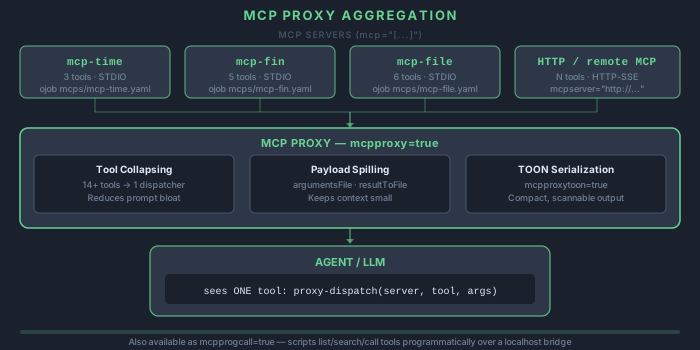
When connecting to multiple MCP servers, each connection adds overhead. Enable proxy mode to aggregate all MCP servers behind a single proxy endpoint:
mini-a mcpproxy=true mcp="[(cmd: 'ojob mcps/mcp-time.yaml'), (cmd: 'ojob mcps/mcp-web.yaml'), (cmd: 'ojob mcps/mcp-db.yaml jdbc=jdbc:h2:./data user=sa pass=sa')]"
The proxy consolidates tool listings from all servers into a single interface. This reduces the number of active connections and simplifies tool discovery for the agent.
Custom MCP Servers
Point mini-a to custom STDIO-based MCP servers by providing the full path to the server executable:
mini-a mcp="(cmd: '/path/to/my-custom-mcp-server')"
You can also point to multiple custom servers by passing an array of MCP descriptors.
Remote HTTP MCPs
Connect to MCP servers running on remote machines over HTTP or SSE:
mini-a mcp="(type: remote, url: 'http://remote-server:3000/mcp')"
This is useful for centralized tool servers shared across teams, or for connecting to MCP servers running in cloud environments. Multiple remote endpoints can be combined:
mini-a mcp="[(type: remote, url: 'http://tools1:3000/mcp'), (type: remote, url: 'http://tools2:3001/mcp')]"
Dynamic MCPs
Enable dynamic MCP discovery to let the agent find and load MCP servers at runtime based on the task at hand:
mini-a mcpdynamic=true
When enabled, mini-a inspects the available MCP registry and loads servers that match the tools needed for the current goal. This avoids loading unnecessary servers upfront.
Lazy Loading
By default, all specified MCP servers are connected at startup. Enable lazy loading to defer connections until a tool from that server is actually needed:
mini-a mcplazy=true
This reduces startup time and memory usage, especially when specifying many MCP servers but only using a few per session.
Republishing MCPs with mcp-pass (gateway pattern)
While mcpproxy=true aggregates MCPs inside a running mini-a session, mcp-pass republishes one or more MCP servers as a single standalone MCP endpoint that any client (mini-a, Claude, IDEs, other agents) can consume. The downstream tools are forwarded directly — clients see them as native tools, not behind a dispatcher:
ojob mcps/mcp-pass.yaml onport=9091 uri=/mcp \
  mainmcp="(type: remote, url: 'http://internal-mcp:8080/mcp')" \
  othermcps="[(cmd: 'ojob mcps/mcp-time.yaml'), (cmd: 'ojob mcps/mcp-random.yaml')]" \
  useprefix="core-,time-,rand-" excludeTool="rand-pick"
Use includeTool/excludeTool to curate the exposed surface, useprefix to avoid name collisions, and serverdesc to override the advertised server identity.
TOON tool results
Set the OpenAF runtime flag MCPSERVER.answerInTOON to make built-in MCP servers serialize tool results as TOON (Token-Oriented Object Notation) instead of JSON — a more token-efficient encoding for structured data:
OAF_FLAGS="(MCPSERVER: (answerInTOON: true))" ojob mcps/mcp-time.yaml onport=8888
Combined with mcp-pass, this turns a container into a drop-in gateway that converts existing MCPs’ JSON output to TOON. See Deploying MCP Servers in Docker & Kubernetes for Docker and Kubernetes recipes.
Custom Commands, Skills, Hooks
Based on upstream mini-a behavior, customization is file-based and loaded from your home profile. By default, Mini-A reads all configuration from ~/.openaf-mini-a.
Overriding the Config Home (homedir)
Pass homedir=<path> to make Mini-A resolve its .openaf-mini-a folder relative to a different base directory. Every path that would normally expand from ~ uses the provided value instead — commands, skills, hooks, modes, agent profiles, history, and memory files all shift together.
# Use a shared team config directory
mini-a homedir=/opt/shared/mini-a-config goal="..."

# Per-project isolated config (checked into the repo)
mini-a homedir=./my-project-config goal="..."

# Container or CI environment where ~ is not writable
mini-a homedir=/app/mini-a-config goal="summarize the build logs" useshell=true
extracommands, extraskills, and extrahooks still work as additional directories layered on top of whichever base is active:
# Shared base + project-specific extra skills
mini-a homedir=/opt/shared/mini-a-config \
       extraskills=./project-skills \
       goal="..."
Slash Command Templates
Create markdown templates in ~/.openaf-mini-a/commands/:
~/.openaf-mini-a/commands/<name>.md
Load additional command directories:
mini-a extracommands=/path/to/team-commands,/path/to/project-commands
Run in console:
/<name> arg1 arg2
Run non-interactively:
mini-a exec="/<name> arg1 arg2"
Template placeholders:
- `` -> raw argument string after the command name (trimmed)
- `` -> parsed arguments as a JSON array
- `` -> parsed argument count
,, … -> positional argument values (1-based)
Example:
~/.openaf-mini-a/commands/review.md

Review target:
Flags/raw:
Parsed:
/review src --quick "security only"
Review target: src
Flags/raw: src --quick "security only"
Parsed: ["src","--quick","security only"]
Skills
Supported skill layouts in ~/.openaf-mini-a/skills/. When a folder contains multiple formats, precedence is:
SKILL.yaml(self-contained, recommended for portable skills)SKILL.ymlSKILL.jsonSKILL.mdskill.md
Single-file ~/.openaf-mini-a/skills/<name>.md skills are also supported.
The YAML format bundles body, metadata, and embedded reference files into one portable file:
schema: mini-a.skill/v1
name: my-skill
summary: Short description

body: |
  You are a specialized assistant for .
  @context.md

refs:
  context.md: |
    Add context here.
Print a starter template: mini-a --skills
Folders ending in .disabled are ignored during skill discovery, which lets you keep a skill installed without exposing it.
Skills can be invoked as /<name> ...args... or $<name> ...args....
Automatic activation: Mini-A automatically preloads skills whose names or phrases appear in the goal or hook context. If your goal mentions "run review" and a review skill is installed, it is loaded and its context is injected before the first step — no explicit invocation needed.
Load additional skill directories:
mini-a extraskills=/path/to/shared-skills,/path/to/project-skills
Hooks
Hook definitions are loaded from ~/.openaf-mini-a/hooks/*.yaml, *.yml, *.json.
Load additional hook directories:
mini-a extrahooks=/path/to/team-hooks,/path/to/project-hooks
Example:
event: before_shell
command: "echo \"$MINI_A_SHELL_COMMAND\" | grep -E '(rm -rf|mkfs|dd if=)' >/dev/null && exit 1 || exit 0"
timeout: 1500
failBlocks: true
Supported events: before_goal, after_goal, before_tool, after_tool, before_shell, after_shell.
References:
Performance Tuning
Optimizing mini-a for speed, cost, and reliability across long-running or high-volume sessions.
Context Management
The maxcontext parameter sets an approximate context budget (in tokens). It defaults to 0, which leaves proactive compaction off: Mini-A then relies on provider overflow recovery, or on contextguard=true, so set it explicitly for long-running sessions. When the conversation approaches the limit, mini-a compacts the context by removing duplicate observations (at 60% of the budget) and then summarizing older turns (at 80%):
mini-a maxcontext=40000
Auto-compaction preserves the most recent and most relevant context while discarding redundant information. Summarization runs as isolated, tool-free requests between execution steps, and when a provider reports a context overflow, Mini-A replaces the main and low-cost provider histories with the compact context while keeping system/developer instructions. For tool-heavy conversations that need exact recall of older output, see History VM and Context Virtualization.
Token Optimization
mini-a applies automatic prompt optimization to reduce token usage without losing meaning. Responses from previous turns are cached internally to avoid redundant LLM calls when the same information is referenced again.
Manual Context Control
In interactive console mode, two commands give you direct control over context size:
/compact [n]— Immediately reduces the conversation context by summarizing and removing older turns while keeping up to the latestnexchanges (default 6). Use this when you notice the model slowing down or losing track of earlier instructions./summarize [n]— Creates a structured summary of the entire conversation so far, replaces older history with that summary, and keeps up to the latestnexchanges (default 6). This is more aggressive than/compactand is useful for very long sessions.
Response Length
Limit the maximum response length with maxtokens:
mini-a maxtokens=2048
This prevents the model from generating excessively long responses, saving both time and cost.
Advanced Shell
mini-a’s shell integration includes security controls that let you precisely define what the agent can and cannot execute.
Command Allowlists
Restrict the agent to a specific set of commands. Only the listed commands will be permitted:
mini-a useshell=true shellallow='git,npm,docker'
Any attempt to run a command not on the allowlist will be blocked.
Command Ban Lists
Alternatively, block specific dangerous commands while allowing everything else:
mini-a useshell=true shellban='rm,sudo,shutdown,reboot'
Allowlists and ban lists give you layered control over shell safety.
Docker Isolation
For maximum safety, run shell commands inside a Docker container. This isolates the agent’s shell access from your host system entirely:
docker run --rm -e OAF_MODEL="(type: openai, model: gpt-5.2, key: '...')" -v $(pwd):/work openaf/mini-a useshell=true goal='Analyze the project in /work'
The agent can execute commands freely inside the container without risk to your host filesystem or system.
Read-Only Mode
By default, readwrite=false prevents the agent from modifying files on disk. This is the safe default for exploratory and analytical tasks:
mini-a readwrite=false useshell=true
Set readwrite=true only when you explicitly want the agent to create or modify files.
Built-in file-access boundaries
fileallow accepts existing files/directories as an array, JSON/SLON string, or comma-separated string. Files allow that exact file; directories allow descendants. Omit it to preserve existing access, or use fileallow='[]' to deny covered access. Empty entries, invalid lists and nonexistent entries are errors. Use arrays for paths containing commas or significant surrounding spaces. Paths resolve from the process working directory with canonical symlink, .. and directory-boundary checks; globs are not expanded.
# These directories must already exist; include separately stored skills too.
mini-a useutils=true utilsroot=/srv/project \
  extraskills=/srv/skills fileallow='["/srv/project", "/srv/skills"]' \
  goal="Review the project"
Coverage includes prompt/agent/plan files and automatic AGENTS.md, local skills/references, attachments from local paths, utility file/document/image operations, local-file URLs, validator and proxy parameter files, local wiki roots/mounts/index directories, ingestion/absorption inputs, evaluation files, plugin manifests and explicit output paths. utilsroot, readwrite and policy restrictions still apply. Allow the containing directory for new outputs/backups. Existing wiki indexes cannot bypass a denied root.
Advanced web treats the list as server-controlled: browser settings, presets, restored sessions and agent-profile metadata cannot widen it. Children inherit it. Restart the server after changes; start a new conversation to discard previously loaded content.
The list covers built-in data access. Managed runtime/history/log/cache/temp files still operate; browser uploads authorize only their staged bytes. Shell commands, external MCP servers, hooks, custom libraries and executable plugin code require separate isolation. Remote HTTP/S3/Elasticsearch content is outside this list. Canonical checks are application checks and cannot prevent concurrent filesystem replacement atomically.
OS Sandboxing
mini-a includes built-in OS-level sandboxing via usesandbox. Use this when you want the agent’s shell commands to run inside a restricted OS environment without setting up a container runtime. For custom runtimes (Docker, Podman, firejail, custom wrappers), use shell= instead.
Built-in presets
| Value | Behavior |
|---|---|
auto |
Detects host OS and applies the default preset for that platform. |
linux |
Uses bwrap (bubblewrap). Host filesystem is read-only; private temp/home area; readwrite=true widens writes to the current working directory and temp paths only; sandboxnonetwork=true adds --unshare-net. |
macos |
Uses sandbox-exec. If sandboxprofile is omitted, mini-a auto-generates a restrictive profile with read access to the host, private temp/home writes, optional current-directory writes via readwrite=true, and network blocked when sandboxnonetwork=true. |
windows |
Best-effort PowerShell wrapper with ConstrainedLanguage mode, isolated temp/home paths, and a narrowed environment. sandboxnonetwork=true applies proxy/environment blocking. Does not provide Linux-equivalent filesystem or guaranteed network isolation — combine with WDAC/AppContainer for stronger policy. |
If the selected backend is unavailable (e.g. bwrap or sandbox-exec is missing), mini-a warns and continues without sandboxing.
macOS (sandbox-exec)
- Use the built-in restriction flags when you only need to block specific binaries (combine
shellallow,shellbanextra,shellallowpipes,checkall=true). - Use
usesandbox=macoswhen you want mini-a to generate a restrictive host sandbox automatically. - Use
shell=when you want a custom.sbprofile or a stronger container boundary. readwrite=truewidens writes to the current working directory and temp paths only.sandboxnonetwork=trueremoves network access from the generated profile.
mini-a goal="catalog ~/Projects" useshell=true usesandbox=macos
Linux (bubblewrap)
- Use
usesandbox=linuxwhenbwrapis installed and you want read-only host access with a private temp/home area. - Use
shell=when you need a containerized runtime, custom namespace/network policy, or a guaranteed writable environment beyondreadwrite=true. readwrite=trueadds writes to the current working directory and temp paths only.sandboxnonetwork=trueadds--unshare-net.
Windows (best-effort PowerShell)
- Use
usesandbox=windowsfor safer defaults around temp/home isolation without extra tooling. - Use
shell=or platform tooling (WDAC, AppContainer, Windows Sandbox) when you need enforceable OS policy. sandboxnonetwork=trueis best-effort only via proxy/environment blocking.
macOS Sequoia (container CLI)
On macOS 15+, you can run mini-a inside an Apple container-managed environment via shell=:
container run --detach --name mini-a --image docker.io/library/ubuntu:24.04 sleep infinity
mini-a goal="inspect /work" useshell=true shell="container exec mini-a"
Docker and Podman via shell=
Run every shell command inside a long-lived container by setting shell= to the exec command:
# Docker
docker run -d --rm --name mini-a-sandbox -v "$PWD":/work -w /work ubuntu:24.04 sleep infinity
mini-a goal="summarize git status" useshell=true shell="docker exec mini-a-sandbox"

# Podman (rootless)
podman run -d --rm --name mini-a-sandbox -v "$PWD":/work -w /work docker.io/library/fedora:latest sleep infinity
mini-a goal="list source files" useshell=true shell="podman exec mini-a-sandbox"
Hook alternatives (recommended for strict policy)
- Use
before_shellhooks to deny commands by path, arguments, time window, or user context. - Use
after_shellhooks to audit output, redact sensitive data, and trigger alerts. - Combine hooks with
usesandboxorshell=so both policy checks and OS-level sandboxing are active.
Tip:
shellallow,shellbanextra,shellallowpipes,checkall, andbefore_shell/after_shellhooks are separate policy layers that remain active even whenusesandboxorshell=is set.
Library Integration
mini-a can be used programmatically from JavaScript code and integrated into OpenAF automation workflows.
JavaScript API
Call mini-a directly from OpenAF JavaScript code using the $mini_a function:
var result = $mini_a({
  goal: "Analyze this data",
  model: "(type: openai, model: gpt-5.2, key: '...')",
  useshell: false
});
print(result.output);
The returned object contains the agent’s output, usage metrics, and execution metadata. This is useful for embedding mini-a into larger applications or scripts.
oJob Workflow Integration
Integrate mini-a into oJob pipelines for automated, multi-step workflows:
jobs:
  - name: AI Analysis
    exec: |
      var r = $mini_a({ goal: args.task, model: args.model });
      return { result: r.output };
This lets you chain mini-a calls with other oJob steps, pass arguments dynamically, and capture results for downstream processing.
Planning Workflows
mini-a can generate and follow structured plans before executing tasks, improving reliability for complex multi-step goals.
Enabling Planning
mini-a useplanning=true
When planning is enabled, mini-a first creates a plan of action, then executes each step sequentially, tracking progress along the way.
Plan Styles
The planstyle parameter controls how plans are generated:
| Style | Behavior |
|---|---|
simple |
Flat sequential plan steps. The agent creates numbered steps upfront and executes them in order. This is the default. |
legacy |
Phase-based hierarchical planning. The agent groups steps into phases before executing. |
mini-a useplanning=true planstyle=legacy
Saving Plans
Save generated plans to a file for review or reuse:
mini-a useplanning=true planfile=my-plan.yaml
Chain-of-Thought Reasoning
Enable explicit chain-of-thought reasoning to make the agent’s thinking process visible:
mini-a usethinking=true
This is especially useful for debugging complex goals or understanding why the agent chose a particular approach.
Custom Tools
Extend mini-a with custom tools defined in JavaScript or YAML. Custom tools let the agent call your own functions during execution.
JavaScript Tool Definition
// Custom tool definition
var myTool = {
  name: "calculate_discount",
  description: "Calculate discount price",
  parameters: {
    price: { type: "number", description: "Original price" },
    percent: { type: "number", description: "Discount percentage" }
  },
  fn: function(args) {
    return args.price * (1 - args.percent / 100);
  }
};
Register tools by passing them in the configuration. The agent will automatically discover and use them when they match the current task. Each tool needs a name, a description (used by the LLM to decide when to call it), parameters (schema for inputs), and an fn (the implementation).
Delegation
mini-a supports delegating work to child agents for parallel execution and distributed workloads.
Local Child Agents
Enable delegation to let mini-a spawn sub-agents that work on parts of a goal in parallel:
mini-a usedelegation=true
The parent agent decomposes the goal, assigns sub-tasks to child agents, and aggregates their results.
Starting a Worker
Start a headless worker that accepts delegated tasks over HTTP:
mini-a workermode=true onport=8080 apitoken=your-secret-token workername="research-east" workerdesc="US-East research worker"
The worker exposes a REST API. Key endpoints:
| Endpoint | Description |
|---|---|
GET /info |
Server capabilities |
POST /task |
Submit a new task |
POST /status |
Poll task status |
POST /result |
Retrieve final result |
POST /cancel |
Cancel a running task |
GET /healthz |
Health check |
GET /metrics |
Task and delegation metrics |
Submit a task directly via HTTP:
curl -X POST http://localhost:8080/task \
  -H "Authorization: Bearer your-secret-token" \
  -H "Content-Type: application/json" \
  -d '{"goal": "Analyze data and produce summary", "args": {"maxsteps": 10}, "timeout": 300}'

# Poll status
curl -X POST http://localhost:8080/status \
  -H "Authorization: Bearer your-secret-token" \
  -H "Content-Type: application/json" \
  -d '{"taskId": "..."}'

# Get result
curl -X POST http://localhost:8080/result \
  -H "Authorization: Bearer your-secret-token" \
  -H "Content-Type: application/json" \
  -d '{"taskId": "..."}'
Workers also support the A2A HTTP+JSON/REST transport (/message:send, /tasks, /tasks:cancel, /.well-known/agent.json). Enable it on the parent with usea2a=true:
mini-a usedelegation=true usea2a=true workers="http://localhost:8080" apitoken=your-secret-token goal="Coordinate parallel subtasks"
Dynamic Worker Registration
Instead of a static workers= list, workers can self-register and send heartbeats to the parent:
# Parent: start registration server
mini-a usedelegation=true usetools=true \
  workerreg=12345 workerregtoken=secret workerevictionttl=90000

# Worker: self-register and heartbeat
mini-a workermode=true onport=8080 apitoken=secret \
  workerregurl="http://main-host:12345" \
  workerregtoken=secret workerreginterval=30000
Registration endpoints on the parent’s workerreg port: POST /worker-register, POST /worker-deregister, GET /worker-list, GET /healthz. Workers that miss heartbeats are evicted after workerevictionttl milliseconds (default 60 000). This pattern also works with Kubernetes HPA: new pods register on startup and deregister on graceful shutdown.
Remote Workers
Connect to worker APIs running on other machines for distributed execution:
mini-a usedelegation=true workers='http://worker1:8080,http://worker2:8080' apitoken=your-secret-token usetools=true goal="Coordinate parallel subtasks"
Remote workers run their own mini-a instances and accept task assignments from the parent agent. This scales mini-a horizontally across multiple machines.
Concurrency Control
Limit the number of concurrent child agents or worker connections:
mini-a usedelegation=true maxconcurrent=5
Workers can also register themselves dynamically with the parent agent, enabling elastic scaling.
Forked Sub-agents
A forked sub-agent inherits a snapshot of the parent’s context instead of starting with a clean slate. This avoids re-doing research or re-establishing facts the parent has already gathered.
Use fork=true on the delegate-subtask tool call, or /delegate fork <goal> in the console:
# Via console
/delegate fork Write a summary of everything we have found so far

# Via tool call (LLM-driven)
# { "goal": "Summarize findings", "fork": true, "forkscope": ["memory", "context"] }
forkscope controls what is inherited:
| Value | What is passed to the child |
|---|---|
"memory" (default) |
Working memory snapshot (facts, decisions, evidence, etc.) |
"context" |
Last 50 conversation history entries |
Both can be combined: forkscope: ["memory", "context"].
For remote workers the fork state is transmitted as JSON; forkstatemaxbytes (default 64 KB) caps the payload, dropping oldest history entries first if oversized.
# CLI startup task with fork
mini-a usedelegation=true subtasksfile=scouts.yaml goal="Security audit"
# scouts.yaml: [{goal: "Check for issues using existing findings", fork: true}]
Auto-delegation (Noisy Tools)
Auto-delegation automatically intercepts tool results that are too large or verbose for the parent’s context window, replacing the raw observation with a focused summary produced by a sub-agent.
Enable with autodelegation=true (also requires usedelegation=true):
# Summarize shell output larger than 8 KB automatically
mini-a usedelegation=true usetools=true useshell=true \
  autodelegation=true \
  goal="Run diagnostics on this server and report issues"

# Always summarize specific tools regardless of size
mini-a usedelegation=true usetools=true useshell=true \
  autodelegation=true noisytools=shell,web-search \
  goal="Research and report on cloud pricing"

# Lower threshold and raise per-step cap
mini-a usedelegation=true usetools=true \
  autodelegation=true autodelegationthreshold=2048 autodelegationmaxperstep=4 \
  goal="Process multiple large API responses"
| Parameter | Default | Description |
|---|---|---|
autodelegation |
false |
Master toggle (also requires usedelegation=true) |
autodelegationthreshold |
8192 |
Byte length that triggers auto-delegation |
autodelegationmaxperstep |
2 |
Cap on auto-delegations per agent step |
noisytools |
"" |
Comma-separated tool names always delegated regardless of size |
The summarization sub-agent is automatically forked (inherits working memory) when usememory=true and working memory is non-empty; otherwise it runs with a clean slate. Auto-delegation cannot cascade — child agents never trigger it.
Pre-specified Startup Scouts
Register sub-agent goals at startup so they run in parallel with (or before) the main loop. Results are harvested into working memory as artifacts.
Inline tasks (pipe-separated):
mini-a usedelegation=true usetools=true useshell=true \
  subtasks="List all TODO comments in src/|Count lines of code|Find all test files" \
  goal="Give me a project health overview"
Tasks from file (subtasksfile=):
# scouts.yaml
- goal: "Count open GitHub issues"
  timeout: 60
- goal: "Summarize recent git commits"
  fork: true
- goal: "Check if CI is passing"
  args:
    maxsteps: 3
mini-a usedelegation=true usetools=true \
  subtasksfile=scouts.yaml \
  goal="Give project status report"
Sequential execution (run scouts one at a time before the main loop):
mini-a usedelegation=true usetools=true \
  subtaskssequential=true \
  subtasks="Step 1: gather raw data|Step 2: validate data|Step 3: transform data" \
  goal="Run the ETL pipeline and report results"
Console Commands
When delegation is enabled, these commands are available in the interactive console:
/delegate <goal>          # Delegate a sub-goal (fresh context)
/delegate fork <goal>     # Delegate a forked sub-goal (inherits parent memory + history)
/subtasks                 # List all subtasks (forked subtasks show a [fork] badge)
/subtask <id>             # Show subtask details
/subtask result <id>      # Show subtask result
/subtask cancel <id>      # Cancel a running subtask
/rewind                   # Undo last exchange and cancel any active subtasks
/rewind 3                 # Undo last 3 exchanges and cancel active subtasks
Timeouts and retries
Workers advertising submission-recovery-v1 and workerInstanceId negotiate same-process submission receipts. Identical retained submissions return the same task ID; changed payloads/instances return 409. After a lost response, Mini-A makes up to three bounded /submission/status lookups without replaying execution. A recovered task resumes observation; cancellation still cancels late-recovered work. Receipts expire with taskretention; restarts, expired receipts and older workers retain Remote outcome unknown, with no automatic resubmission or alternate-worker dispatch.
Legacy /task carries submissionId/workerInstanceId together at top level; A2A carries them in metadata. /submission/status uses the submission bearer/IP policy. IDs allow 1–128 ASCII letters, digits, underscores or hyphens. Metrics expose delegation.remote_submission_recoveries and remote_submission_recovery_failures; remote cancellation is bounded to five seconds. Fork-state limits count serialized UTF-8 bytes, preserve the parent snapshot during trimming, and fail before execution if still oversized.
delegationtimeout (default 300000 ms) is the foreground wait and the initial stall timeout for a local subtask. Activity extends execution, so a working child is not cut off; set delegationhardtimeout for an absolute limit, and delegationstalltimeout for the idle time before a running child counts as stalled. On a worker, defaulttimeout and maxtimeout are total execution limits counted from when execution starts.
delegationmaxretries (default 2) is the maximum number of execution attempts for confirmed failures, including the first. If a remote submission loses its response or returns no task ID, the outcome is unknown and Mini-A does not resubmit: the worker may already be running the goal. Failures before submission remain retryable, and cancellation is attempted only when the current attempt’s remote task ID is known. A cancellation request cannot undo side effects a remote worker already completed. See remote_poll_retries, remote_outcome_unknown, and remote_cancel_failures under getMetrics().delegation.
Inter-Agent Communication
By default delegated agents are isolated: they exchange only the goal and the final result. Set agentcomms to let agents inside one root goal’s delegation tree coordinate live. It uses private, in-memory OpenAF channels owned by the existing subtask manager, so it needs no broker service, parent HTTP listener, persistent storage, or additional model. Leave it unset (or use profiles: [none]) and nothing changes: no communication tools, channels, inbox observations, or remote exchange calls are added. Sending messages and reading state requires usetools=true; use usedelegation=true to create collaborators.
Profiles and grants
Profiles compose, but they do not grant access by themselves. A declaration contains profiles, grants, an optional alias, an optional delegate ceiling, and optional limits. JSON maps and SLON strings are accepted.
| Profile | Required grants | Behavior |
|---|---|---|
none |
none | No communication; cannot be combined with other profiles |
parent-relay |
send / receive |
Exchange intermediate information with the immediate parent or child |
direct |
send / receive |
Address peers through the runtime broker, without invoking the parent’s model |
pubsub |
publish / subscribe |
Fan out to active subscribers of an exact topic name |
shared-state |
read / write |
Version-checked reads and updates of exact state namespaces |
send and receive are arrays of runtime IDs or declared aliases; the reserved name parent resolves to the immediate parent, and both endpoints must permit the relationship. Topics and namespaces are exact names (wildcards are rejected), and agents cannot address agents in another root run. Aliases are unique among active agents, use only letters, digits, underscores, or hyphens, and are at most 64 characters.
Grants are not inherited. delegate is only the ceiling for explicitly requested child declarations; an omitted child declaration is none, even when its parent can communicate. Existing tool policy can further deny operations, and workers add an operator-configured ceiling. These checks protect the communication API; they are not a sandbox for agents that already run arbitrary in-process code.
Example: relay an early finding
Start the parent with:
{
  "profiles": ["parent-relay"],
  "alias": "coordinator",
  "grants": {"send": ["researcher"], "receive": ["researcher"]},
  "delegate": {
    "profiles": ["parent-relay"],
    "grants": {"send": ["parent"], "receive": ["parent"]}
  }
}
The parent then calls delegate-subtask with waitForResult: false and a matching child declaration:
{
  "goal": "Investigate the failure; relay an early finding if it affects my next action.",
  "waitForResult": false,
  "agentcomms": {
    "profiles": ["parent-relay"],
    "alias": "researcher",
    "grants": {"send": ["parent"], "receive": ["parent"]}
  }
}
The child can call agent-comms with {"action":"send","to":"parent","payload":"The error occurs before the network request."}, and the parent sees an attributed observation before its next model call. Use waitForResult=false for parent collaboration: the blocking default cannot answer questions while waiting for a child. Messages never wake completed agents, invoke an extra model, or wait for a reply, so a child must be able to finish without an answer. For peer review, declare direct on both peers with reciprocal aliases. For shared research, use pubsub with publish: ["findings"] for producers and subscribe: ["findings"] for consumers; only currently registered subscribers receive a publication, and a saturated subscriber rejects the whole fanout.
Tools and shared state
agent-comms exposes only the granted actions among send, publish, and receive. agent-state exposes get for readable namespaces and put/delete for writable ones. Two agents can race to claim a work item:
{"action":"put","namespace":"work","key":"item-1","expectedVersion":0,"value":{"owner":"researcher"}}
Exactly one creation succeeds; the other receives conflict and should read the current value or pick other work. Updates require the returned version, and deletes keep a version tombstone until root shutdown so a stale writer cannot recreate an entry at version zero. This state is separate from memorych, memorysessionch, and forked memory. Outcomes include accepted, ok, pending, denied, unavailable, conflict, full, too_large, rate_limited, invalid, and expired; a successful send means admission to a queue, not that the recipient acted. Received text is attributed external data, never a permission grant or trusted instruction.
Remote workers
Start a worker with apitoken and an explicit agentcomms ceiling. Without both it does not advertise agent-comms-v1, and a communication-enabled task never falls back to a worker lacking that capability. The parent polls the worker’s authenticated /comms endpoint during its normal execution loop, and a per-task token isolates exchanges; no worker-to-worker connection is needed. Remote operations return pending with an operationId, and the correlated result arrives at a later step, so latency depends on the polling interval and queue depth.
Messages and pending operations are transient: cancellation, expiry, worker loss, and root shutdown can discard them. There is no restart recovery or exactly-once guarantee, so use normal delegation results for final answers.
Bounds and observability
The limits keys default to the ceilings below, and configurations may lower them:
| Key | Default |
|---|---|
valueBytes |
8192 UTF-8 bytes per operation |
agentPending / rootPending |
64 / 512 records |
storageBytes |
4194304 channel-record bytes |
perMinute / operations |
60 per agent per minute / 1000 per run |
batchRecords / batchBytes |
8 / 8192 bytes |
ttlMs |
300000 ms, capped by the task lifetime |
stateEntries |
128, including deletion tombstones |
Nothing is evicted silently: small limits return too_large or full. Communication receipt does not reset task activity, and communication-only tool success does not reset the no-progress budget. getMetrics().communication and metricsch snapshots report accepted operations, rejections by reason, deliveries, conflicts, bytes, queue depth, and estimated context tokens. auditch receives comms events with identities, message IDs, and byte counts but no payloads. Explicit full model or debug traces can still contain messages, because they are part of model context. Communication is not an automatic quality or speed gain: compare identical isolated and communicating runs with evaluation suites before enabling it broadly.
History VM and Context Virtualization
For long, tool-heavy conversations, Mini-A can keep the exact history on disk and send the model a bounded working set. Both phases are opt-in and require a writable conversation= path.
mini-a conversation=chat-history.json historyvm=true goal="continue the investigation"
Phase 1: historyvm
Mini-A writes append-only canonical events and checkpoints under chat-history.json.historyvm/. Older, eligible, large assistant/tool messages are represented by small HISTORY_VM_REFERENCE entries. While enabled, the model receives history_search, history_get, and history_expand, so it can recover exact archived text in bounded pages. The conservative safe policy (historyvmmode, the only supported mode) keeps user messages, system/developer instructions, recent exchanges, in-flight tool protocol data, and unknown multimodal shapes inline.
- Try it first:
historyvmshadow=truecaptures events and estimates savings without changing provider requests or adding retrieval tool schemas. If both flags are set, enabled mode wins. - Diagnostics:
/context vmin the interactive console shows object state and token deltas. - Lifecycle:
/clearand explicit web conversation deletion remove the owned sidecar. Automatic web expiry preserves history whenhistorykeep=trueand deletes the sidecar otherwise./rewindrecords a new branch; default retrieval excludes the abandoned branch without deleting its events. - The VM is independent of
usememory, and it creates retained conversation data even when history listing is disabled.
Phase 2: contextvirtualization
Enable it with historyvm=true contextvirtualization=true. It extends the same journal with stable typed handles, deterministic L0–L4 representations, hierarchical summaries, coarse-to-fine retrieval, bounded line/section/JSON-path reads, utility-per-token assembly, typed provenance and supersession graphs, and consumer-specific views for executor, planner, advisor, validator, and delegates. At each model call the projection preserves system/developer instructions, real user constraints, recent exchanges, and unknown content; completed native tool-call groups are preserved or frozen together. Exact content is restored before the conversation is persisted and stays retrievable with context_search, context_get, context_expand, context_children, and context_related. For L4 reads, pass nextCursor back as the next offset.
Use contextvirtualizationshadow=true to dry-run the same projection while still sending the Phase 1 context. Shadow numbers are projections, not provider-billed savings, and stable-prefix serialization does not imply provider prompt caching.
| Flags | Behavior |
|---|---|
historyvm=false historyvmshadow=false |
Legacy Mini-A |
historyvm=true contextvirtualization=false |
Phase 1 |
historyvm=true contextvirtualization=true |
Phase 2 |
Neither phase is enabled silently. Configured budgets account for the serialized conversation, current prompt, tool schema estimates, a safety allowance, and an output reserve. Protected overflow stops the invocation rather than silently deleting constraints, and counts are application estimates. With maxcontext=0, virtualization can still shrink eligible old messages, but Mini-A does not claim a verified hard context bound. Delegates receive task-specific knowledge rather than the parent’s full knowledge field, and children do not inherit the parent’s History VM by default. Semantic compression is available only through the MiniAHistoryVM module API; the CLI and web UI use deterministic representations.
Context-budget recovery
Native tool rounds check the effective budget between recursive provider calls, for streaming and non-streaming adapters. The latest synthetic goal stays exact; older eligible scaffolding may be paged, while real user instructions remain protected. Ollama exchanges retain tool-name metadata and completed Markdown/JSON examples are not redispatched as actions. Terminal errors separate protected conversation, current prompt, tool schemas, instructions, safety allowance, output reserve and selected context. Narrow oversized input/schemas or explicitly raise maxcontext; auxiliary models do not recursively recover. Canonical append/checkpoint writes are serialized and use unique atomic-write temporaries to avoid concurrent checkpoint collisions.
With active Phase 2 and positive maxcontext, an oversized request gets one emergency projection. Recent completed assistant work and complete tool exchanges may use bounded representations with recovery handles; exact originals remain in the canonical journal. Real user messages, instructions, incomplete tool exchanges and unknown/multimodal content stay exact. The provider view changes only if the complete request fits.
If executor working notes still exceed the budget, isolated chunked summarization rebuilds the prompt while preserving the goal, explicit constraints, hooks and new inbox messages. There is at most one note-recovery attempt per logical request and three per run. Failed, empty or nonshrinking summaries preserve the originals. Recovery does not reset provider history, raise the budget or lower the output reserve.
Terminal errors report separate estimates for protected conversation, prompt, tool schemas, separately charged instructions, safety allowance, output reserve and selected context, plus the recovery outcome. Narrow inputs/schemas or explicitly raise maxcontext when protected input cannot fit or canonical backing is unavailable. Auxiliary models do not recursively recover; Phase 1, shadow, legacy and maxcontext=0 keep their existing behavior.
Current runtime status takes precedence over historical/child diagnostics. Delegation metrics labeled diagnostics_scope.scope=child_execution and retrieved child_diagnostics describe that child, not the parent’s History VM settings.
Web history in S3
./mini-a-web.sh usehistory=true historyvm=true historys3bucket=my-bucket historys3prefix=sessions/
Each prompt checkpoint and final-answer checkpoint uploads the conversation and a versioned canonical VM snapshot in the existing S3 JSON object. A session opened on a new host, or after local cache loss, restores the journal and rebuilds derived indexes before the VM starts, and older objects without a snapshot fall back to legacy import. Failed uploads keep the local checkpoint and retry at the next one; newer valid local state wins over an older matching S3 snapshot. Explicit history deletion removes the remote object and local sidecar even with historykeep=true. This supports one active writer per conversation and sequential movement between hosts, not concurrent distributed writers, and full snapshots increase storage and transfer size. If the local journal cannot be written, Mini-A keeps content inline and reports degraded persistence; a degraded VM is never uploaded as a valid snapshot.
Durable Runs and Traces
Use durable=true for work that must survive an interrupted process outside the outer loop. Mini-A assigns (or accepts) a stable runid and writes redacted state plus JSONL events under ~/.openaf-mini-a/runs/<runid>/ (override with runroot).
mini-a goal="Review and update the implementation" durable=true runid=review-20260905
mini-a goal="Review and update the implementation" resumerun=review-20260905
mini-a runstatus=review-20260905
Existing resume=true conversation behavior is unchanged; use resumerun=<runid> for durable-run recovery and runstatus=<runid> to inspect one. State records run status, safe agent and plan snapshots, checkpoints, task records, result metadata, and metrics. The trace records run start/end, planning, validation, replan, orchestration decisions, LLM/tool/shell/wiki activity, and checkpoints with timestamps and run IDs. Durable traces redact secret-like fields, shell commands, tool arguments, and full LLM prompts and responses: they are meant for operational reconstruction, not credential storage.
Capability Selection and Policies
Capability selection
With many MCP servers, skills, plugins, and workers, exposing everything bloats the prompt. capabilityselection=true builds one normalized registry from those sources and registers only a deterministic, bounded subset relevant to the goal. capabilitylimit defaults to 8, and mcpdynamic=true continues to work unchanged.
mini-a goal="Find customer records" usetools=true capabilityselection=true capabilitylimit=4
Centralized policy
policy= (SLON/JSON) or policyfile= (JSON file) defines central restrictions. The policy is allow-by-default for compatibility, but a configured deny is enforced before shell execution, MCP/plugin/proxy tool calls, delegation setup, and every mutating wiki operation.
| Rule | Effect |
|---|---|
shell: deny |
Block shell execution |
delegation: deny |
Block delegation setup |
mcp: deny |
Block MCP tool calls |
wiki: (write: deny) |
Block mutating wiki operations |
filesystem: (write: deny) |
Block filesystem writes |
deniedTools: ["tool_name"] |
Block specific tools |
network: (allowDomains: ["example.com"]) |
Restrict HTTP access to listed domains |
mini-a goal="Inspect the repository" policy="(shell: deny, delegation: deny)"
An approval result reuses the existing shell confirmation surface and is fail-closed for non-interactive tool calls. Decisions are written to the structured trace without secrets or unrestricted arguments. Policies complement, and do not replace, shell sandboxing and hooks.
Adaptive Orchestration
orchestration=manual is the default and preserves current behavior. orchestration=auto applies deterministic goal-complexity and risk heuristics to the existing planning, advisor/model-strategy, and evidence-gate controls, without an extra LLM routing call.
mini-a goal="Migrate the billing service and update its tests" orchestration=auto
Explicit flags such as useplanning=false, modelstrategy=default, and evidencegate=false always win. Each automatic decision is emitted through the trace sink as an orchestration_decision record (visible in durable run traces).
Evaluation Suites
Mini-A has a lightweight native evaluation runner for scenario suites, assertions, resource limits, and baseline comparison.
mini-a eval=true evalfile=evals/core.yaml
mini-a eval=true evalfile=evals/core.yaml evalout=/tmp/mini-a-eval.json
mini-a eval=true evalfile=evals/core.yaml evalwritebaseline=evals/baseline.json
mini-a eval=true evalfile=evals/core.yaml evalbaseline=evals/baseline.json
evalfile accepts a YAML/JSON file or a directory of them. Each scenario requires a goal and may add:
| Field | Purpose |
|---|---|
args |
Normal Mini-A arguments for that scenario |
setup.context, setup.conversation |
Starting context or a provider conversation (an array, or an envelope with a c array); materialized under a scenario-owned temporary directory and removed afterwards |
setup.repeatHistory, setup.contextObjects |
Generated long-history workloads (count 1–1000, `` placeholder) and source fixtures for History VM Phase 2 |
expected, assertions |
Answer and metric assertions |
limits |
Ceilings for cost, tokens, steps, and time |
regression |
Maximum deltas versus a baseline (for example elapsed_ms, input_tokens) |
llm_judge |
{ enabled: true } for an opt-in isolated judge call |
variants |
Named variants merged over the scenario, with variant_comparisons in the report |
variants make one replay run as, for example, History VM Phase 1, Phase 2 shadow, and Phase 2 active without duplicating the fixture; the comparison base is phase1 or baseline when present. When History VM is active, reports also include metrics.history_vm (ContextObjects considered and selected, L0–L4 selections, rehydrations, budget utilization, and shadow or active projection). Only provider token fields Mini-A actually received are reported, and unknown cost stays unset. The run exits nonzero when a scenario fails or a regression is detected.
Skill evaluation and decision judging
From the Mini-A checkout, run mini-a eval=true evalfile=evals/skills.yaml evalout=/tmp/skills-eval.json with configured providers. Compare paired variants on correctness, tool failures, time/tokens and consultation activity. Keep one report per pair, alternate order and separate incomplete samples. A single pair demonstrates the experiment, not improved quality.
metrics.skills contains run deltas for discoveries, selector attempts, selections, loads, blocks, selection duration and returned characters. Missing snapshots or unexplained counter decreases yield null, not measured zero. Final lifecycle state remains under result.skill_activity and raw metrics. Repeated reads count again; external MCPs and arbitrary file reads are outside these counters. Loaded guidance and compliance_verified=false do not establish instruction adherence.
An additional outcome judge is explicitly opt-in:
llm_judge:
  enabled: true
  backend: decide
It batches existing answer expectations into boolean questions; at least one is required. Deterministic answer and metric assertions still must pass. Configuration precedence is judge args.modeldec, scenario/shared modeldec, then OAF_DECIDE_MODEL; explicit usedecide=false on run or judge disables it with a failed judge. Omitting backend retains the isolated agent judge. The judge sees goal, answer and answer expectations, excluding variant labels and skill activity. One request is bounded to 32 checks/48 KiB; invalid, unsupported or failed responses fail without retry/fallback. Judge calls, tokens and time are separate under result.judge, with unavailable token usage null.
See supervised evaluation for independent artifact assertions, cold/warm contracts, audits and per-role estimated cost. Skipped preparation alone does not establish monetary savings.
Evals as oJob tests
Include mini-a-eval.yaml to register scenarios as ordinary OpenAF tests, sharing counters, profiling, failure history, and JSON, Markdown, or JUnit reports with your unit tests. It also includes oJobTest.yaml from oJob-common, so install that oPack.
include:
- mini-a-eval.yaml

todo:
- name: MiniA Eval
  args:
    suite: Answers
    evalArgs:
      useshell: false
      usetools: false
    scenarios:
    - name: Portugal capital
      goal: Reply with only the capital of Portugal.
      expected: { contains: Lisbon }
      limits: { steps: 3 }
- oJob Test Results
Supply exactly one of scenario, scenarios, or file. Shared Mini-A settings go in evalArgs; scenario args then setup.args override them. Optional job arguments are suite, baseline, output, and key. Scenario failures are recorded and the run continues, whereas missing files, ambiguous inputs, and empty suites throw before any test runs. Place an exit-status job after report jobs so CI fails while still saving reports. These scenarios call the configured model provider and need OAF_MODEL.
Dreams (Sleep Pass)
The dream pass is an LLM-powered off-line consolidation step. Given the same memory channels and wiki settings used during a regular session, it reorganises what the agent learned: merging duplicates, marking superseded entries stale, surfacing new cross-cutting insights, and producing a lint-clean wiki — all without touching the live agent loop.
Think of it as REM sleep for your agent: the active session ends, then the dream pass reorganises what was retained.
When to run a dream pass
- After a long or iterative session where the agent appended many memory entries — the pass compacts redundancy without losing information.
- When the wiki has accumulated near-duplicate pages, broken links, or missing front-matter.
- On a nightly cron schedule to keep a shared team wiki clean.
Dream pass modes
| Mode | Triggered by | What happens |
|---|---|---|
| Memory dream | memorych arg is set |
Loads global (and optionally session) memory, calls the LLM to consolidate, writes back |
| Wiki dream | usewiki=true |
Runs the selected wiki workflow: deterministic maintenance, validated auto proposals, or an agent for reorg |
| Combined | Both args set | Both modes run in sequence |
Parameters
| Parameter | Default | Description |
|---|---|---|
dream |
false |
Run in standalone dream-pass mode |
dreammode |
- | Dream mode selector: memory, wiki, or both — controls which pass(es) run |
dryrun |
false |
Preview what would change without writing anything back |
dreamwikimode |
apply |
Wiki mode: auto, plan, apply, reorg, repair, reindex, graph, indexes |
dreammemorymode |
apply |
Memory mode: plan or apply |
dreamwikidryrun |
false |
Propose wiki changes without writing (opt out of apply) |
dreamwikiapproval |
ask |
Reorg approval mode: auto, ask, never |
dreamwikireorg |
false |
Allow structural wiki reorg |
dreamreport |
- | Optional JSON output report path |
memorych |
- | SLON/JSON global memory channel definition (required for memory dream) |
memorysessionch |
- | SLON/JSON session memory channel |
memorysessionid |
- | Session namespace string — use the same value as conversation= during the goal |
auditch |
- | SLON/JSON audit channel — recent events are included as context |
maxauditrecords |
200 |
Maximum audit log entries included in the memory consolidation prompt |
usewiki |
false |
Enable the wiki dream (requires wikiroot, wikibucket, or equivalent) |
model |
- | SLON/JSON model config used for the memory consolidation LLM call |
dreammaxsteps |
40 |
Total model-step limit for wiki auto/reorg |
dreamwikillm |
true |
Allow model proposals for unresolved auto-maintenance issues; false selects deterministic repairs only |
dreamwikiinstructions |
- | Additional guidance for the existing reorg goal; does not relax tool restrictions |
libs |
- | Extra comma-separated libraries to load |
Automatic wiki maintenance
/dream wiki auto runs the same coordinator in the terminal, Advanced Dream panel and Wiki Manager. Preview with /dream wiki auto dryrun, then deliberately apply supported repairs with an explicit wikiaccess=rw:
mini-a dream=true dreammode=wiki dreamwikimode=auto \
  usewiki=true wikiroot=./wiki wikiaccess=rw \
  dreamwikillm=false dreamreport=wiki-auto.json
Auto is on-demand and local-directory-only; mounted/remote wikis and remote graphs are unsupported. Invoking it authorizes its supported repairs without per-action prompts. Dry-run calls no model and performs no writes, backups, ingestion resumes or index publication. Other Dream modes keep their approval gates.
It diagnoses authoritative Markdown, resumes valid existing ingestion journals, repairs deterministic lint/navigation issues and rebuilds damaged retrieval artifacts. dreamwikillm=true allows tool-free model proposals for remaining issues, validated by the coordinator. Healthy pages receive no speculative reorganization. It runs at most three repair/verification cycles, stops on no progress and caps total model requests at dreammaxsteps=40. A missing model leaves semantic issues unresolved after deterministic work.
Provenance/ingestion-owned pages are protected from generic edits. Conflicting/corrupt ingestion journals remain in place; pending absorption blocks auto and directs you to /absorb status and /absorb resume <plan-id>. Unsupported schemas, unavailable pages and unresolved ownership require review.
Local mutations share .mini-a-wiki-ingest/writer.lock. Auto must persist original page/state contents and hashes in .mini-a-wiki-maintenance/<run-id>/backup.json and journal.json before repair; backup failure blocks writes. Stop requests cancellation, possibly after an in-flight non-streaming model call returns. Interrupted runs retain a pending marker and backups; the next pass reconciles known journal boundaries. External hash conflicts are preserved for manual review rather than overwritten. Completed work is not automatically rolled back.
Fresh strict-reader checks, content reads, search probes, lint and enabled structural-graph checks determine verified fixes. The report records diagnosed issues, attempted actions, verified fixes, unresolved issues, backup location and verification coverage. Outcomes include noop, complete, partial, planned, blocked, cancelled and interrupted; dreamreport saves the JSON report. A rebuild alone does not prove success.
Memory dream internals
- Channels are opened using the provided SLON/JSON definitions.
- Global memory (and optionally session memory) is loaded via
MiniAMemoryManager.loadFromChannel. - If
auditchis provided, the most recentmaxauditrecordsaudit entries are loaded. - The LLM receives a system prompt describing the consolidation rules, the full memory snapshot, and the audit events.
- Consolidation rules:
- MERGE near-duplicate entries in the same section (keep the most informative value; preserve the earlier
createdAt). - MARK superseded entries with
stale=trueandsupersededBy=<id-of-replacement>. - DROP entries that are both
stale=trueand have asupersededBythat exists in the output. - SURFACE new cross-cutting insights as new
summariesentries. - PRESERVE all IDs of retained entries unchanged; assign new 16-char hex IDs to new entries.
- MERGE near-duplicate entries in the same section (keep the most informative value; preserve the earlier
- The consolidated snapshot is validated against the
MiniAMemoryManagerschema. - Unless
dryrun=true, the pre-dream state is backed up to a sibling namespace (<ns>::predream-<ISO-timestamp>), then the consolidated snapshot is written back.
Source folders and topic organization
Preview folder-preserving ingestion with /ingest ./docs reference layout=source dryrun, then remove dryrun to apply. Standalone callers use ingestlayout=source. Guide/Setup.md maps to reference/guide/setup.md; existing source bindings retain their destinations when layout changes. Sanitized collisions receive stable source-key suffixes, and generated section indexes remain separate from source index pages.
New/refreshed pages rewrite local Markdown page links against current ingestion mappings, including moved pages; anchors and external URLs remain. Unresolved links are reported in unresolved_links. Code fences, inline code and image links stay intact; asset copying and arbitrary HTML-link conversion are excluded. A newly available link target refreshes unchanged referring pages under normal budgets/ownership checks; unrelated new sources do not. Older link records refresh once to establish tracking, possibly calling the distillation model.
For semantic organization explicitly run /dream reorg topics. /set dreamwikiapproval auto authorizes it; ask requires approval and never denies. Standalone settings are dreamwikimode=reorg dreamwikireorg=true dreamwikiapproval=auto dreamwikiorganize=topics. The wiki manager retains review/backup confirmations. The topic policy prefers existing sections and shallow groups, records uncertain moves and accepts dreamwikiinstructions. Ingestion does not start this operation automatically.
Moves journal verified link repairs and ingestion destinations at <indexRoot>/.mini-a-wiki-move/journal.json. Changed sources then refresh at their moved destinations; manual edits and Dream content rewrites still cause ownership conflicts. Repeat the move or run writable ingestion to recover an interruption; dry-run only reports pending recovery. Other writes stay blocked until verified replay completes. Conflicting edits preserve the journal. The local lock does not coordinate remote writers on separate machines.
Wiki dream internals
The following describes the pre-existing modes; auto uses the coordinator above.
usewiki=trueis required;wikiaccessis forced torw.dreamwikimode=plan,dryrun=true, anddreamwikidryrun=truerun the same no-write proposal path.- Use
dreamwikimode=planfor explicit mode selection; usedryrun=truewhen you want the generic safety flag (it also affects memory dreams). - Proposal output includes
new_tree,move_table,indexes_to_create,indexes_to_update, and lint before/after summaries. dreamwikimode=applyis the default and performs safe non-structural work; usedreamwikidryrun=trueto opt out.dreamwikimode=reorgis structural and requiresdreamwikireorg=trueplusdreamwikiapproval=auto.- A
MiniAWikiManagerexposes hierarchy-awaretree,browse,backlinks,move, andlint()operations. - A full
MiniAagent is spawned (defaultmaxsteps=40, controlled bydreammaxsteps) with the following goal:- Discover the hierarchy with
tree/browse, search related content, inspect backlinks, and list lint issues. - Apply only high-confidence category moves with
move; skip uncertain relocations. - Create missing section indexes and fix index links for local pages and child sections.
- For each heading hierarchy violation: fix heading levels.
- For orphan pages (excluding
index.md,AGENTS.md, andlog.md): add a link fromAGENTS.mdor the most related existing page. - Re-run lint and confirm zero errors and warnings remain.
- Discover the hierarchy with
- The agent’s final answer summarises
pages_moved,pages_changed,pages_deleted,indexes_created,issues_fixed, andskipped_uncertain_moves.
Standalone usage (mini-a dream=true)
# Memory dream — dry-run preview (no writes)
mini-a dream=true dryrun=true \
  memorych='(name: mini_a_global_mem, type: file, options: (file: /tmp/mini-a-memory.json))' \
  model='(type: anthropic, model: claude-sonnet-4-6)'

# Full memory dream (writes back)
mini-a dream=true \
  memorych='(name: mini_a_global_mem, type: file, options: (file: /tmp/mini-a-memory.json))' \
  auditch='(name: mini_a_audit, type: file, options: (file: /tmp/mini-a-audit.log))' \
  model='(type: anthropic, model: claude-sonnet-4-6)'

# Session memory dream
mini-a dream=true \
  memorych='(name: mini_a_global_mem, type: file, options: (file: /tmp/mini-a-memory.json))' \
  memorysessionch='(name: mini_a_session_mem, type: file, options: (file: /tmp/mini-a-session.json))' \
  memorysessionid='research-2026' \
  model='(type: anthropic, model: claude-sonnet-4-6)'

# Wiki dream
mini-a dream=true \
  usewiki=true wikiroot=/shared/wiki \
  model='(type: anthropic, model: claude-sonnet-4-6)'

# Non-interactive nightly proposal (no writes) + JSON report
mini-a dream=true \
  usewiki=true wikiroot=/shared/wiki \
  dreamwikimode=plan \
  dreamreport=/var/log/mini-a/dream-wiki-plan.json \
  model='(type: anthropic, model: claude-sonnet-4-6)'

# Non-interactive safe apply + JSON report
mini-a dream=true \
  usewiki=true wikiroot=/shared/wiki \
  dreamwikimode=apply \
  dreamreport=/var/log/mini-a/dream-wiki-apply.json \
  model='(type: anthropic, model: claude-sonnet-4-6)'

# Non-interactive structural reorg (explicit gates required)
mini-a dream=true \
  usewiki=true wikiroot=/shared/wiki \
  dreamwikimode=reorg dreamwikireorg=true \
  dreamwikiapproval=auto \
  dreamreport=/var/log/mini-a/dream-wiki-reorg.json \
  model='(type: anthropic, model: claude-sonnet-4-6)'
Console command (/dream)
The /dream slash command is available in interactive console sessions when at least one of memorych or usewiki=true was set at startup. It is shown in /help whenever memory or wiki is configured.
| Command | Description |
|---|---|
/dream |
Run memory dream + wiki dream (whichever are configured) |
/dream memory |
Run memory dream only |
/dream wiki |
Run wiki dream only |
/dream dryrun |
Dry-run both (no writes) |
/dream memory dryrun |
Dry-run memory dream only |
/dream wiki dryrun |
Dry-run wiki dream (proposal package, no writes) |
/dream wiki plan |
Explicit wiki proposal mode (same execution path as dryrun today) |
/dream wiki apply |
Safe wiki apply mode (enables write gate) |
/dream wiki reorg |
Structural wiki reorg mode (enables gates + auto approval in console) |
Sub-commands and dryrun complete with Tab.
Combining with regular sessions
# 1. Start a session with persistent memory and a shared wiki
mini-a usememory=true memoryuser=true usewiki=true wikiaccess=rw wikiroot=/shared/wiki

# 2. Work on goals interactively...

# 3. When done, consolidate from the console
mini-a ➤ /dream

# Or consolidate in a separate invocation (e.g. a nightly cron)
mini-a dream=true \
  memorych='(name: mini_a_global_mem, type: file, options: (file: ~/.openaf-mini-a/memory-global.json))' \
  usewiki=true wikiroot=/shared/wiki \
  model='(type: anthropic, model: claude-sonnet-4-6)'
Programmatic API
loadLib("mini-a-dreams.js")

var runner = new MiniADreams({
  memorych: '{"name":"my_memory","type":"file","options":{"file":"/tmp/memory.json"}}',
  model:    '{"type":"anthropic","model":"claude-sonnet-4-6"}'
}, log)

// Run memory dream only
var result = runner.dreamMemory()
// result: { ok: true, results: { global: { ok, before, after, staleMarked } } }

// Run wiki dream only
var wikiResult = runner.dreamWiki()
// wikiResult: { ok: true, result: "<final-answer-excerpt>" }

// Run both
var overall = runner.run()
// overall: { ok: true, memory: {...}, wiki: {...} }

// Inject a stub LLM for testing
runner._setLlm(myStubLlm)
Model Manager
The built-in model manager provides a TUI for managing model configurations and credentials.
Launch the Model Manager
mini-a modelman=true
Capabilities
- Encrypted credential storage — API keys and tokens are stored encrypted on disk, avoiding plaintext secrets in environment variables or shell history.
- Multiple model profiles — Define and switch between named profiles (e.g., “development” with a cheap model, “production” with a frontier model).
- Import/export configurations — Share model configurations across machines or team members.
- Test model connectivity — Verify that a model and API key combination works before using it in a session.
Web Interface Advanced
Simple chat and the opt-in Advanced console share the same conversation. Advanced adds the terminal’s command dispatcher, operation panels and local session journals.
Start Advanced
mini-a onport=8888 webadvanced=true useattach=true usestream=true
Configure a model first, as described in Getting Started. With no nonblank webtoken, Advanced generates a 256-bit random token for this server run, prints an authenticated http://localhost:8888/#token=<generated-token> URL and tries to open the browser. Use the printed URL manually on headless systems. The token changes on restart and is not persisted.
For a fixed token, add webtoken="YOUR_RANDOM_TOKEN" and open http://localhost:8888/#token=YOUR_RANDOM_TOKEN manually (URL-encode special characters). Select Advanced. No extra model request is needed to inspect settings or run ordinary inspection commands.
Authentication
Advanced always requires token authentication. The browser keeps the fragment token in tab session storage and sends it as x-mini-a-token; the SSE stream also accepts ?token=. A fixed webtoken protects Simple mode too. Simple without a token remains open to anyone who can reach the port.
The Advanced token grants trusted console authority, including the ability to enable shell execution and filesystem/wiki writes. Use TLS and restrict access to trusted users. A reverse proxy can provide additional authentication.
Commands and operation panels
Advanced opens in Live activity, with searchable output and an Auto-follow switch. The pane selector opens Help, Settings, Models, Wiki, Graph, Ingest, Absorb, Dreams, Skills, Context, History, Statistics, Debug and Subtasks. Controls submit the same commands as the console. Resize the divider or dock the pane right, bottom, top or left; the browser remembers its layout. Narrow screens stack the panes.
The composer offers slash/argument completion, Tab completion and Up/Down command recall. /help lists syntax, prerequisites, discovered commands and skills; Insert command fills the prompt without executing it. Server paths in @file, /save, ingestion and wiki operations refer to the server filesystem.
| Command family | Advanced behavior |
|---|---|
/show [prefix], /set, /unset, /toggle, /reset |
Filtered Settings with validation and masked credentials |
/model [main\|lc\|val], /models |
Model slot selection and configuration |
/last [md], /save [file] |
Answer reader with previous goal, Markdown/raw mode, Copy and browser Download; /save writes on the server, defaulting to response.md |
/history [n], /restore, /clear, /rewind [n] |
Recent goals, Insert/Edit, saved-conversation picker, shared clear/rewind |
/context [llm\|analyze\|vm], /compact [n], /summarize [n] |
Context measurements, History VM details and generated summaries |
/wiki, /graph, /ingest, /absorb, /dream |
Readers, operation results, progress and existing approval/recovery controls |
/skills, custom /commands, $skill |
Discovery and shared expansion/execution |
/stats [modes] [out=file.json], /debug [filter] |
Statistics modes/export and trace categories |
/delegate, /subtasks, /subtask |
Delegation, live task inspection and task result/cancellation commands |
/edit [last], /editor [last] |
Server-managed multiline Submit goal/Cancel dialog |
/cls, /exit, /quit |
Clear visible activity, or end this session while leaving the server running |
Wiki panels provide breadcrumbs, page/section links, Markdown/raw reading and lint severity filters. A write without content opens a multiline editor with Preview and Write page. Graph exports offer Copy/Download and a Mermaid preview when available; graph answer retrieves evidence rather than synthesizing an answer. Mount/backend access rules and ingestion/absorption/Dream approval gates still apply. Stop does not roll back completed writes.
Each destination has Previous results and Older results for timestamped snapshots. Selecting a result loads it from the journal without repeating the command. A command selects its pane once when accepted; progress, reconnect and completion preserve your selected pane. /cls clears the visible activity but retains stored events and results. /clear resets current answer state and metrics; /rewind refreshes the previous answer/transcript while retaining subtask cancellation behavior.
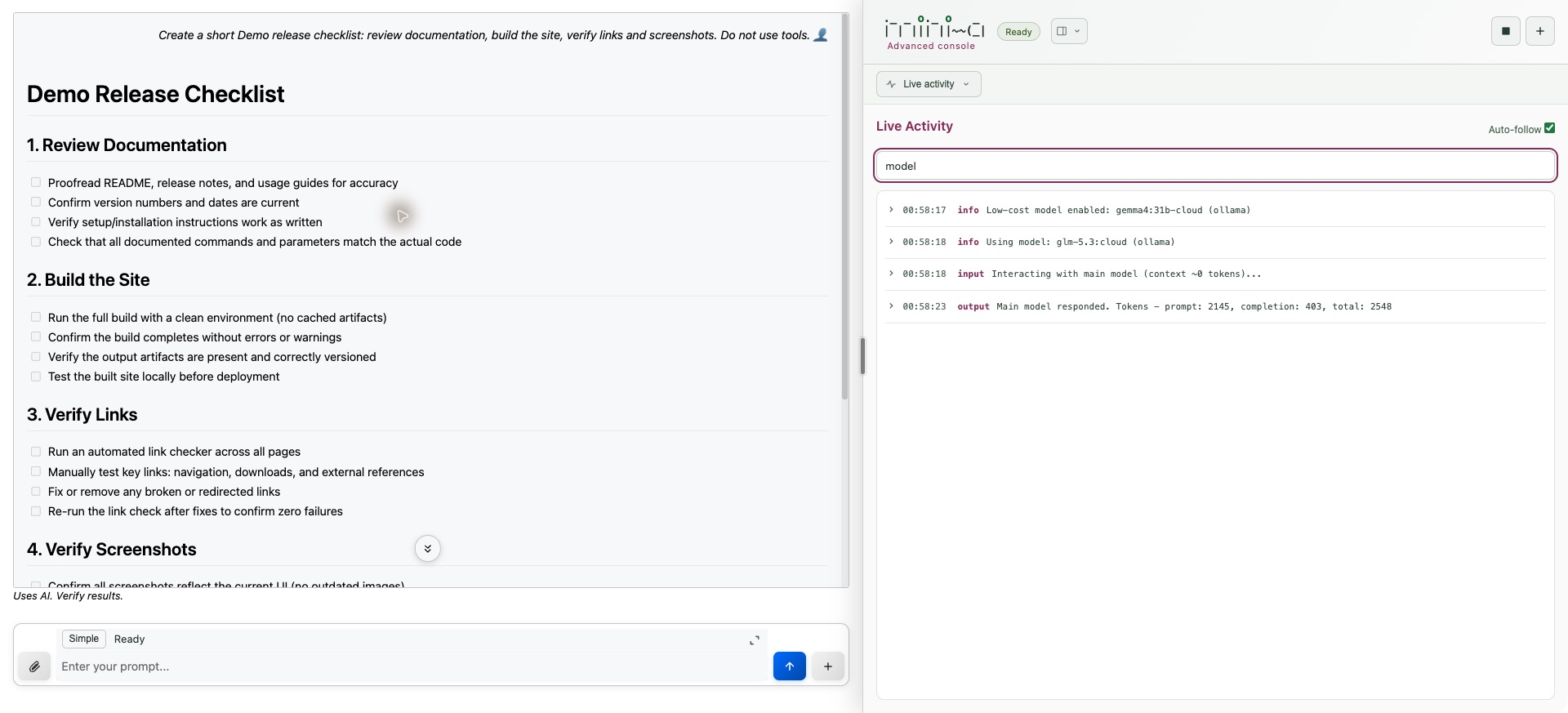
Settings and structured data editor
Apply Settings while the conversation is idle. Transport settings are read-only. A runtime change disposes the previous agent’s resources before the next goal while preserving history. Save named presets explicitly; the default preset applies to new conversations. Credentials are masked and omitted from saved presets/settings. Saved model selections reuse server credentials only when provider type and URL match; other credential-bearing compound settings must be supplied again after restart.
The Edit data icon on text fields in Settings, Models, forms and interaction dialogs opens nested key/value tables. Import JSON or SLON, select types, add/remove map entries, reorder arrays, and Undo/Redo. Use value serializes JSON or SLON into the original field; its Apply, Run or Continue action still controls submission. Cancel/Escape discards popup edits. Invalid numbers and duplicate keys block export, and a changed/removed originating field blocks write-back.
Editing stays local and is limited to 200,000 characters, 2,000 values and 30 nesting levels. Quote SLON datetime literals as strings. Read-only settings remain read-only.
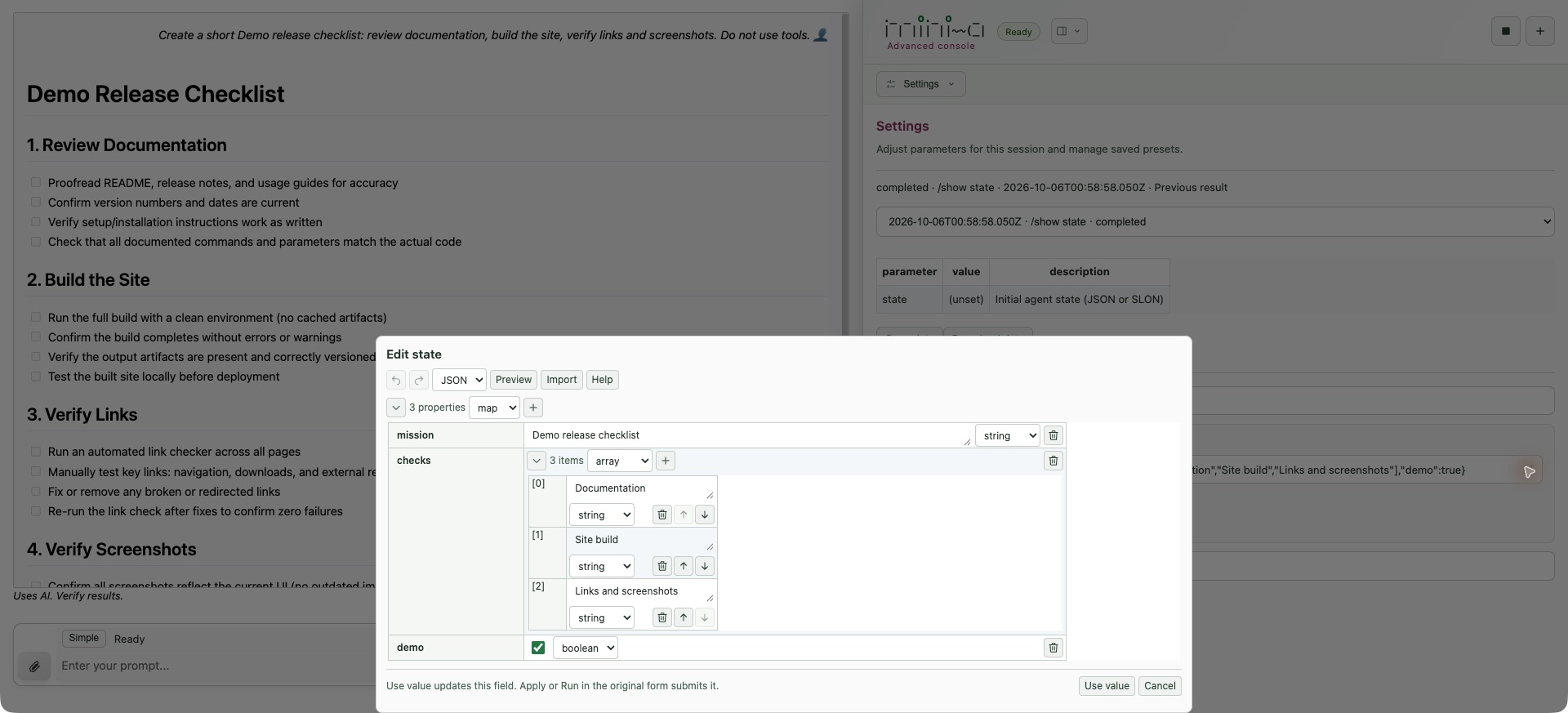
Full-screen composer
Both views have an expand icon at the prompt’s top right, including on mobile. Draft text and attachments stay in place. Enter adds a newline; Ctrl/Cmd+Enter or Send submits. Collapse/Escape returns to the normal prompt without losing the draft. Success collapses it; a failed submission leaves it open. Advanced History’s Edit action opens this composer; /edit and /editor keep their separate server-managed dialog.
Browser input dialogs
The input-dialog, Prompt workspace and Browser storage screenshots below use isolated sessions, public sample data and deterministic local demo responses. They illustrate the interface; no external model provider was called.
With useutils=true, Advanced agents can call userInput, or question with usestdutils=true. The run pauses at Waiting for your input; Continue returns answers to the same goal. Dialogs support multiline text, masked input, allowed-character choices, single/multiple-choice lists and named forms. question groups questions into one dialog and uses free text without options. Prompt/help/description Markdown is rendered safely; choice values and answers stay literal. output=index preserves indices; max controls list display size, not selection count.
Cancel operation, Escape or Stop cancels active work and releases pending input. Reload reconnects while the server runs, but unsent input is lost; restart interrupts the run. Concurrent requests appear sequentially. Password operations encrypt returns on the server; masked ask only hides typing and returns plaintext. Plaintext secrets are excluded from interaction journals/reconnect snapshots. An Advanced conversation switched to Simple retains pending dialogs; fresh Simple sessions remain noninteractive. Delegated agents do not inherit the browser adapter.
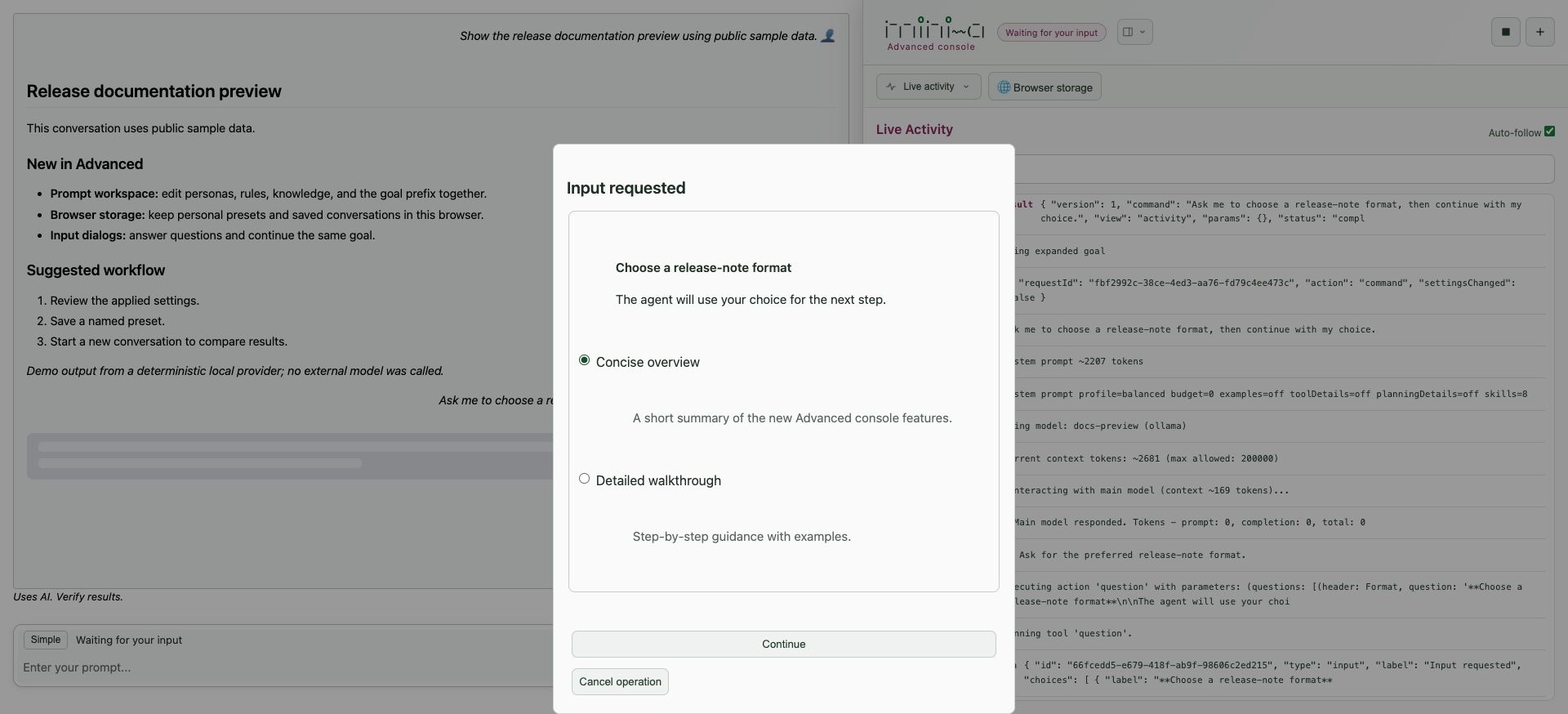
Prompt workspace
Five multiline editors manage Agent persona (youare), Chatbot persona (chatyouare), Rules/instructions (rules), Knowledge/context (knowledge) and Goal prefix (goalprefix). Expand opens a viewport editor; Collapse/Escape retains drafts. Switching Advanced panes retains drafts, while reload or conversation switch clears them.
Apply changes submits edited fields together for the next goal; Discard edits restores applied values. Reset to inherited value stages removal of a session override. Editors show draft/applied and inherited/session state; chatbot persona is inactive outside chatbot mode. Text stays literal: changing an @file reference does not edit the file. Related settings include chatbotmode, promptprofile, systempromptbudget, noagentsmd and format. Presets save applied settings, so apply/discard drafts before using them. For comparisons with fresh history, save a preset, create a new conversation and apply it there.
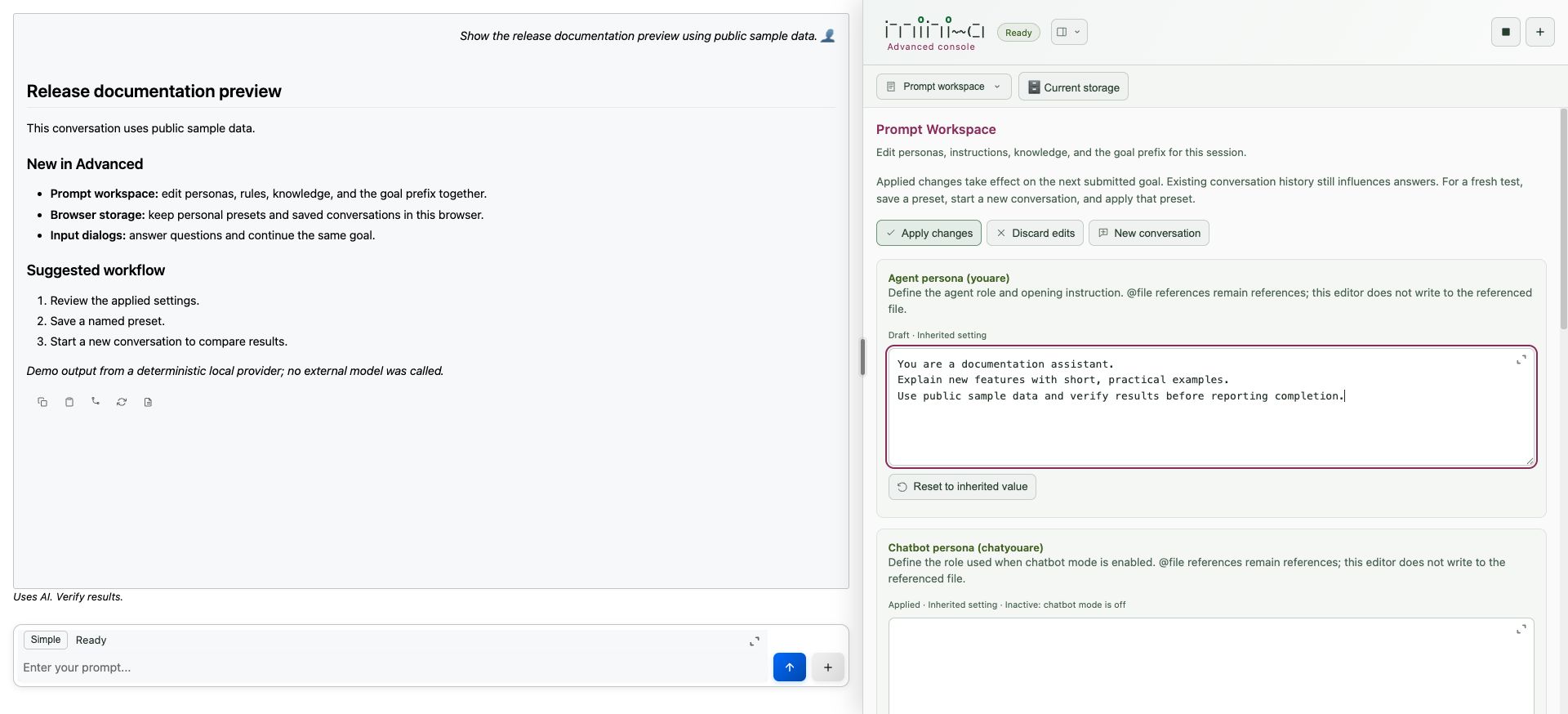
Attachments in both views
Start with useattach=true. Text files (Markdown, source, CSV, JSON and similar) allow up to 512 KB each and enter the goal as filename/content blocks. Remove an attachment chip before sending if needed.
Binary attachments support PNG/JPEG, Word (.doc, .docx), Excel (.xls, .xlsx), PowerPoint (.ppt, .pptx) and PDF. Supply a question/instruction; Advanced slash and skill commands cannot take binary attachments.
| Limit | Value |
|---|---|
| Binary files per request | 4 |
| Per image | 10 MiB and 25 megapixels |
| Per document | 20 MiB |
| Combined binary input | 20 MiB |
| Extracted text per document | 30,000 characters |
| Proxy request allowance | At least 29 MiB for base64 JSON submissions |
Unsupported or oversized browser selections are skipped with a warning; the server also validates uploads. Processing uses isolated, read-only readers without requiring useutils, useshell or readwrite. Office/PDF extraction uses Tika (preinstall for offline use); image analysis needs the active main model to support vision. See document/image utilities.
Progress/errors name the file. If any file fails processing, no goal runs from partial results. Truncation is marked and the expanded prompt must fit maxpromptchars. Temporary originals are deleted after processing; history retains extracted text/image analysis for follow-ups, not originals to reprocess. OCR, embedded-image extraction, document layout rendering and spreadsheet formula evaluation are not included.
Statistics, debug and live subtasks
Statistics renders /stats Summary, Detailed, Tools, Memory and Wiki with Chart.js charts and expandable values tables. Refresh updates them. Some counters are shared across server sessions; these are not billing guarantees.
Debug shows a chronological sequence/kind/summary table with category filters. Select a row to fetch its full disk-backed record; Load more preserves selection and Refresh reloads the category. Inspection stays in Debug without adding Live activity entries. Credential redaction remains active. The previous goal’s temporary trace is removed on session expiry or when its next goal starts.
Subtasks displays live cards with status counts, filters, duration and expandable details/results, preserving open sections on refresh. Inspection works while the parent is busy; delegate/cancel commands wait for the parent operation to finish. Command history (saved snapshots) is separate from live task status.
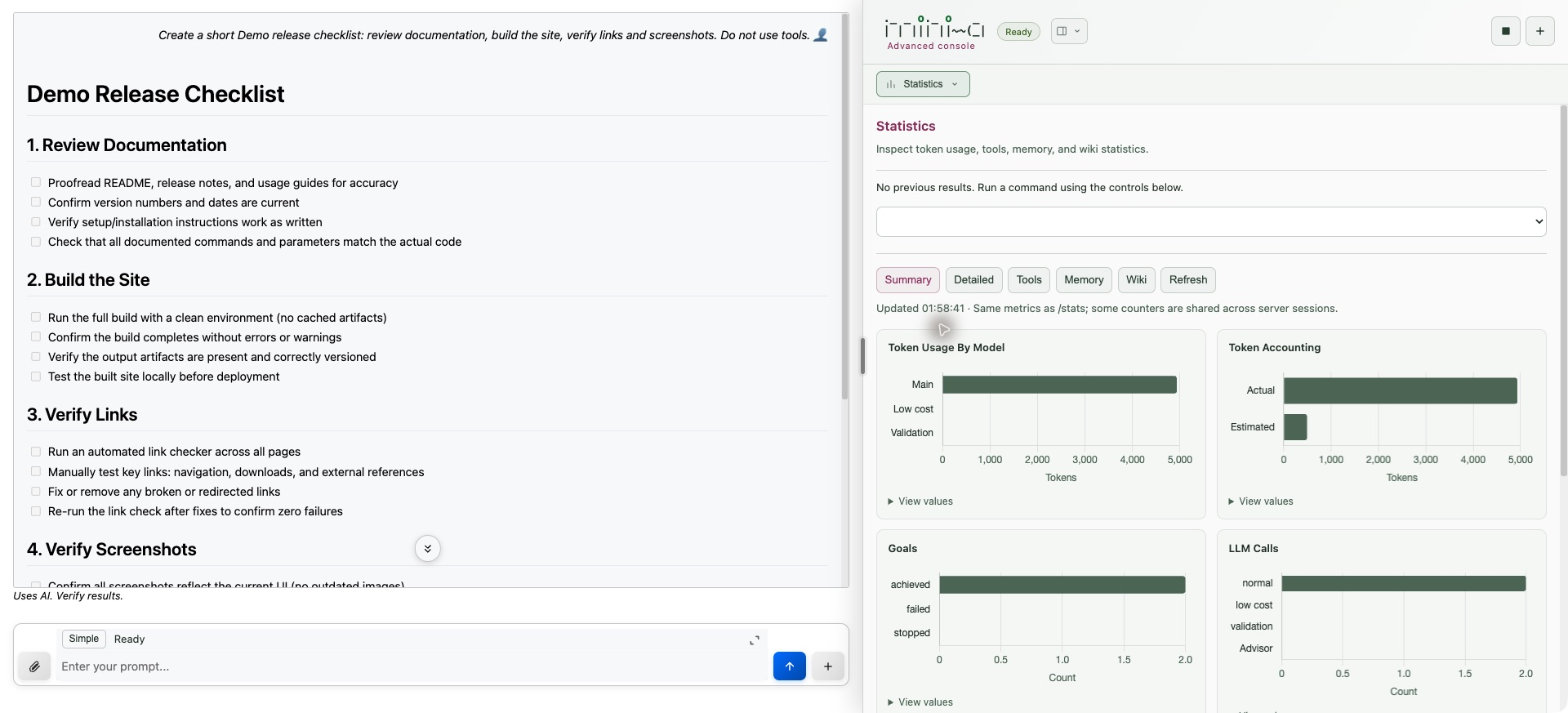
Conversations, reconnect and storage
The global Current storage / Browser storage switch selects the library for Advanced presets and saved conversations. The browser remembers this choice in localStorage. Current storage uses server presets under webadvancedpath; Browser storage keeps personal presets and existing browser-saved conversations. New browser history requires history saving enabled. Switching preserves both libraries without migration; active runs, wiki files and journals remain server-managed.
Browser presets omit credentials, preserve unset fields so applying clears later overrides, and can supply the default for New conversation. Storage failures are shown and failed writes do not claim success. Browser data belongs to that profile/site origin and disappears when site data is cleared.
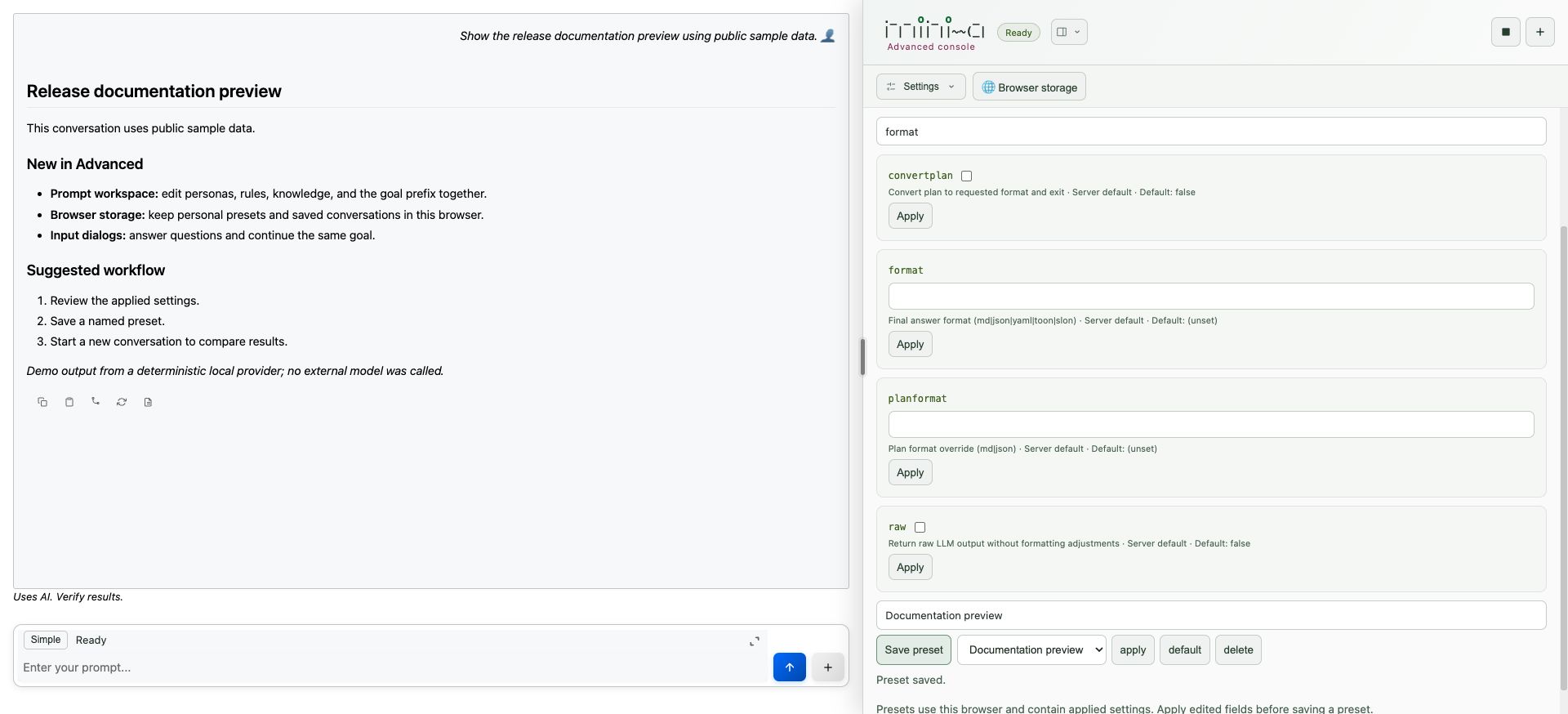
Switching Simple/Advanced preserves the conversation. Reload reconnects to the current session without resubmitting model requests, writes or exports. Running work and pending dialogs survive browser disconnects. Stop/Escape cancels active work; closing the browser does not. Server restarts restore saved history/settings and report interrupted jobs rather than resuming them automatically.
Advanced stores conversations under the console’s ~/.openaf-mini-a/history (homedir relocates .openaf-mini-a). Settings, event journals and presets use ~/.openaf-mini-a/web or webadvancedpath. Existing conversation files under webadvancedpath remain readable. These local console histories are separate from Simple’s historypath and S3 settings, even though both views share current turns.
New conversations and idle expiry retain Advanced history. historyretention governs idle session cleanup. Shared console housekeeping uses historykeepperiod (minutes) and historykeepcount on session opening and periodic cleanup; active conversations/running subtasks are protected. Pruning removes associated History VM sidecars and Advanced settings/journals. Retention applies across the shared console history folder.
Reverse Proxy Setup
Use TLS termination and permit large attachment requests. Streaming uses SSE, so disable buffering and allow long-lived HTTP responses:
server {
    listen 443 ssl;
    server_name mini-a.example.com;
    ssl_certificate     /etc/ssl/certs/mini-a.crt;
    ssl_certificate_key /etc/ssl/private/mini-a.key;
    client_max_body_size 29m;

    location / {
        proxy_pass http://localhost:8888;
        proxy_set_header Host $host;
        proxy_set_header X-Real-IP $remote_addr;
        proxy_set_header X-Forwarded-For $proxy_add_x_forwarded_for;
        proxy_set_header X-Forwarded-Proto $scheme;
        proxy_http_version 1.1;
        proxy_buffering off;
        proxy_cache off;
        proxy_read_timeout 3600s;
    }
}
Forward x-mini-a-token and the stream query string unchanged. /stream sends SSE heartbeats; it does not use a WebSocket upgrade.
Custom Branding
The shipped Simple and Advanced interfaces share the site’s light/dark theme. Custom logos or wording require editing the frontend assets; there is no documented runtime branding parameter.
Provider-Specific Guides
Configuration details and tips for specific LLM providers.
AWS Bedrock
AWS Bedrock requires valid AWS credentials. mini-a reads credentials from environment variables or the standard AWS credentials file:
export AWS_ACCESS_KEY_ID="your-access-key"
export AWS_SECRET_ACCESS_KEY="your-secret-key"
export AWS_DEFAULT_REGION="us-east-1"
export OAF_MODEL="(type: bedrock, options: (region: eu-west-1, model: 'anthropic.claude-sonnet-4-20250514-v1:0'))"
Alternatively, configure credentials in ~/.aws/credentials and set the region in ~/.aws/config. Bedrock model names follow the provider’s naming convention (e.g., anthropic.claude-sonnet-4-20250514-v1:0).
GitHub Models
GitHub Models can use your GitHub personal access token directly in OAF_MODEL:
export OAF_MODEL="(type: openai, url: 'https://models.github.ai/inference', model: openai/gpt-5, key: $(gh auth token), apiVersion: '')"
Model names follow GitHub’s model catalog naming. Check the GitHub Models marketplace for available models.
Ollama
Ollama runs models locally with no API key required. Ensure the Ollama server is running before starting mini-a:
# Pull a model first
ollama pull llama3

# Start mini-a with the local model
export OAF_MODEL="(type: ollama, model: 'llama3', url: 'http://localhost:11434')"
mini-a
Performance tips for Ollama:
- Use quantized models (e.g.,
llama3:8b-q4_0) for faster inference on limited hardware. - Ensure sufficient RAM for the model size. 8B parameter models typically need 8-16 GB of RAM.
- For GPU acceleration, verify that Ollama detects your GPU with
ollama ps. - Set the Ollama host if running on a different machine:
export OLLAMA_HOST=http://192.168.1.100:11434
Debugging
Tools and techniques for diagnosing issues with mini-a.
Debug Mode
Enable verbose logging to see every decision the agent makes, including model calls, tool invocations, and internal routing:
mini-a debug=true
Debug output includes timestamps, model selection decisions, token counts, and the full request/response payloads for each LLM call.
Full Debug — Audit + LLM Payloads to Files
To capture everything — agent activity audit trail, main-model LLM payloads, and low-cost model payloads — write each stream to a separate JSON file:
mini-a goal="your goal here" \
  auditch="(type: file, options: (file: audit.json))" \
  debugch="(type: file, options: (file: debug.json))" \
  debuglcch="(type: file, options: (file: debuglc.json))"
| File | Contents |
|---|---|
audit.json |
Structured agent activity log — every tool call, shell command, and goal event with arguments and results |
debug.json |
Full request/response payloads for the main model (prompt + completion on every step) |
debuglc.json |
Full request/response payloads for the low-cost model |
All three files are written in NDJSON (one JSON object per line), so you can stream or filter them:
# Show only failed tool calls from the audit log
ojob - code='$from(io.readFileNDJSON("audit.json")).equals("type","tool_call").equals("status","error").select()'

# Show main-model prompts only
ojob - code='$from(io.readFileNDJSON("debug.json")).equals("type","prompt").select(r => r.content)'
If you also have a validation model configured, add debugvalch to capture its payloads:
mini-a goal="deep research task" deepresearch=true \
  auditch="(type: file, options: (file: audit.json))" \
  debugch="(type: file, options: (file: debug.json))" \
  debuglcch="(type: file, options: (file: debuglc.json))" \
  debugvalch="(type: file, options: (file: debugval.json))"
Lightweight Alternative — debugfile
To redirect only the noisy raw LLM blocks (prompts/responses) to a file while keeping normal agent events on screen:
mini-a goal="summarize README.md" debugfile=debug.log useshell=true
This implies debug=true and writes one JSON object per line to debug.log. Normal agent output still appears in the console.
See Channels for full backend options and query examples.
Usage Metrics
Use the /stats command in interactive mode to view real-time usage statistics:
/stats
This displays token counts, model call counts, cost estimates, and elapsed time for the current session.
Common Debugging Patterns
- Unexpected tool selection — Enable
debug=trueand check the routing decisions. The light model may be misclassifying the task. Try adjusting the goal wording or switching to a more capable light model. - Slow responses — Check
/statsfor token counts. If context is very large, use/compactto reduce it. Consider settingmaxcontextto prevent unbounded growth. - MCP connection failures — Verify the MCP server is running and reachable. Use
debug=trueto see connection attempts and error messages. For remote MCPs, check firewall rules and network connectivity. - Planning loops — If the agent keeps replanning without executing, try switching
planstylefromlegacytosimple(the default). Phase-based planning can stall on ambiguous goals where a flat sequential plan works better.
Next Steps
- Configuration — Full reference for all parameters and environment variables
- Cheatsheet — Quick reference card for daily use
- Examples — Practical examples and recipes
- Getting Started — Installation and first steps
Wiki maintenance utilities
Guided operations manager
mini-a wikiman=true wikiroot=./wiki wikiaccess=rw usewikigraph=true
wikiman=true opens guided inspection, page editing/moves/deletion, lint, indexes, compaction, graph, Dream, ingestion and absorption/recovery menus. Inspection needs no model; access defaults to ro, and no current-directory wiki is silently selected. Mounts stay read-only: explicitly configure their root/backend as primary to maintain them. Do not combine this launch mode with web, worker, Dream or goal execution.
Category Advanced options exposes operation limits; Session → Adjust session settings changes temporary connection/graph settings. Use /back to cancel text prompts. Results include elapsed time, full details/history and a sanitized replay command. Run history / export explicitly saves a sanitized run record; connection profiles/history are not automatically saved.
Writes require review and noninteractive confirm=true. Reorg asks two default-No confirmations, including an external recovery point, and requires backupconfirmed=true dreamwikireorg=true dreamwikiapproval=auto. dreamwikiinstructions adds guidance without changing restrictions. Compaction previews and requires offline=true. Recovery discard and absorption delete/cancel do not undo written pages.
# From the Mini-A checkout/package directory
ojob utils/wikiOps.yaml operation=wiki.lint wikiroot=./wiki
ojob utils/wikiOps.yaml operation=wiki.reindex wikiroot=./wiki wikiaccess=rw confirm=true
Compaction and offline diagnostics
Local Retrieval V2 compaction rebuilds the active serving index as a base generation and reclaims unreachable serving artifacts. Preview first; stop other processes reading or writing the wiki before applying. With wikiaccess=rw and V2 enabled:
/wiki compact
/wiki compact offline=true
The standalone, model-free equivalent runs from the Mini-A package directory:
ojob utils/wikiCompact.yaml dir=/path/to/wiki
ojob utils/wikiCompact.yaml dir=/path/to/wiki apply=true offline=true
Use the publisher’s wikilexical and wikiretrievalconfig settings. offline=true confirms other readers/writers have stopped; publication locking cannot track readers in other processes. Local writable wikis only are supported. Pending or corrupt ingestion journals block compaction. Check ok: true before reopening read-only.
Compaction preserves Markdown, graph, metadata, knowledge/ingestion state, legacy indexes and bundle caches, plus the previous generation and its dependency lineage. It is not a general hidden-folder purge or Lucene force-merge. Collection can fail after a new index has already been activated; report and retry the failed cleanup.
For a self-contained offline graph visualization:
ojob utils/wikiGraph.yaml dir=/path/to/wiki output=/tmp/atlas.html title="Team wiki"
The exporter uses an existing .mini-a-wiki-graph/graph.json or scans Markdown links without creating indexes; it needs no model or server. utils/indexStats.yaml also accepts V2 serving-only roots and reports pointers, parser/schema versions, contracts, artifact sizes, lineage and persisted telemetry. These are offline snapshots: a present manifest does not prove integrity or compatibility, and missing telemetry does not mean zero queries.